
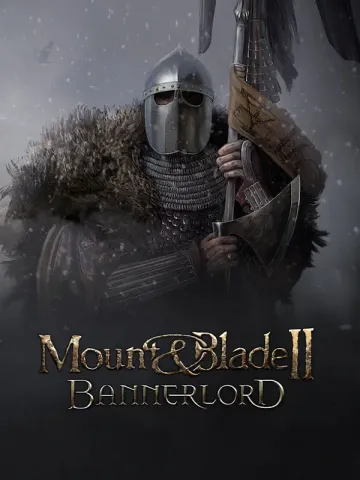

- Medieval action RPG
- Six game modes
- Custom map support
- Admin panel in game
Mount & Blade II: BannerlordServer Hosting
Raise your banner over a Bannerlord custom server that stays online for your clan around the clock. You choose the game mode, the maps and who gets in, with room for 12 players on the smallest plan and 64 or more on the largest.
- Instant setup
- DDoS protection
- 24/7 support
- Full file access
- NVMe SSD storage
- 3 day money-back
Starting at A$11.87 AUD/month
Choose your plan
Server location
Nearest to you
- Common
- Most popular
- Best value
Secure and trusted payments
Server locations around the world
Pick the location closest to your players for the lowest latency. Test your ping from this browser to each of our data centers and see the hardware behind every one.
- Locations
- 16+
- Top CPU clock
- 5.7 GHz
- Support
- 24/7

North America
Virginia
Your ping
- Processor
- AMD EPYC 4465P
- Max clock
- 5.40 GHz
- Memory
- DDR5
- Network port
- 1-10 Gbps
Your ping
Your ping test starts in a moment.
North America
South America
Europe
Asia Pacific
Everything Your Bannerlord Server Needs
Mount & Blade II: Bannerlord server hosting has to keep pace with a siege where dozens of players trade blows at once. Each plan comes with the hardware, the network protection and the support team to do it.
Network
Always-on DDoS Protection
A public Bannerlord server sits in the custom server list where anyone can find it, and tournament night is a bad time to drop. We filter attack traffic before it reaches your server, on every plan, at every hour.
Hardware
NVMe SSDs
Custom maps and modules add many files to a server, and it loads a new scene each time the map changes. NVMe drives read those files fast, so the next battle begins without a long wait.
Hardware
AMD Ryzen and EPYC Processors
A full siege asks the server to track every swing, block and arrow for every player at once. The AMD Ryzen and EPYC processors behind your server clock up to 5.7 GHz.
Support
Support Around the Clock
A server token that expired, or a custom map missing from the server's map list? Our team replies by ticket and live chat at any hour, and the knowledge base walks you through the common jobs.
Panel
Automatic Tasks
Schedule a restart for the quiet hours before your clan's event night, so the server starts the evening fresh. Set it once and the panel repeats it on the interval you choose.
Panel
Bring In Your Officers
Give your clan's officers access to the control panel so one of them can restart the server or change a setting while you are away. You decide what each officer can do.
Network
Automatic Failover
When a machine fails, we bring your server back up on a healthy one without waiting for a ticket. Your players reconnect and the next round begins.
Network
Low Latency Routes
Bannerlord's directional combat rewards timing, and a block that arrives late is a hit taken. We manage the network routes between your players and your server and tune them for performance. Choose the location nearest your players for the lowest ping.
Your own Bannerlord server
Why rent a Mount & Blade II: Bannerlord dedicated server?
Bannerlord's multiplayer has matchmaking, and TaleWorlds also publishes dedicated server files for players who want more say. A Bannerlord dedicated server of your own appears in the custom server list and plays the way you set it, with your maps, your password and your admins.
Online when your clan is
Hosting the server files at home means a PC that stays on, a public IP address and port 7210 opened on your router. A rented server runs in a data center and is ready whenever your clan logs in.
Your modes and maps
Run Siege, Team Deathmatch, Captain, Skirmish, Duel or Battle. Pick from the official maps, or add custom scenes that players download straight from the server.
Rules you set
Set the player cap, the round and map time limits, friendly fire and class limits. Join as admin to mute, kick or ban, and lock the server with a password for clan-only nights.
Game modes, maps and mods
Bannerlord multiplayer hosting: six game modes, custom maps and mods
Mount & Blade II: Bannerlord is TaleWorlds's medieval action RPG, set in the land of Calradia. Its multiplayer pits players against each other with skill-based directional combat, and a custom server hosts that side of the game.
How to set up a Bannerlord server
- Choose a plan and the location closest to your players.
- Pay, and we build the server for you.
- In Bannerlord, enter the multiplayer lobby, press Alt and ~ to open the console and type
customserver.gettoken. The game saves a token file inDocuments\Mount & Blade II Bannerlord\Tokens. - Add the token to your server, set the server's name and game mode, and start it.
Keep the token private, because it is tied to your Bannerlord account. It expires after three months.
How to join your Bannerlord server
- Start Bannerlord and open Multiplayer.
- Open the custom server list.
- Search for your server's name.
- Select the server and join. Enter the password if you set one.
If the server runs a custom map you do not have, right-click it in the list to download the map first.
How to add admins and run a match
- Set an
AdminPasswordin the server's configuration. It is blank by default, so choose a strong one. - In the custom server list, right-click your server, choose "Join as Admin" and enter that password.
- Press Escape in game and open the admin panel.
From there you change the game type, the map, the time limits and the player cap, and you mute, kick or ban players. A ban lasts until the server restarts.
How to add custom maps and mods
- Upload the map's scene to the
SceneObjfolder of the server's Multiplayer module. - In the server's config file, add a line such as
add_map_to_usable_maps MapName Siege,Skirmish, naming the game modes the map suits. - Restart the server.
For a mod, upload its module to the server and follow the mod author's steps to load it. Tell your players which modules to install, because a mismatch stops them joining.
Six game modes
TaleWorlds's server runs Siege, Team Deathmatch, Captain, Skirmish, Duel and Battle. Skirmish and Duel are the lightest to run. Siege, Team Deathmatch and Captain ask the most of a server, so size your plan for the mode you play most.
Maps of your own
Register your own scenes for the game modes they suit. A player who lacks a map downloads it from your server through the custom server list, with no game restart.
Mods and modules
Bannerlord has an official Modding Kit and a Steam Workshop, and its mods come as modules. You have full access to your server's files to upload them. Players need the same modules loaded as the server, or the mismatch stops them joining.
What our customers say
We’re rated excellent or 4.3/5.0 based on over 435+ reviews at
- June 14th
Great host! “ I've been with this host for a little over 7 months now. Support is given almost instantly. Max I ever waited was 30(ish) minutes. ”
- Daniel Ramirez
- May 20th
Excellent and easy to use host “ Excellent service, really quick and easy to set up with lots of options and systems that really take the hassle out of hosting a server. ”
- Reece Cooper
- May 5th
I LOVE using RAMShard! “ I very much LOVE using RAMShard. It's efficient, easy to use, and the staff is extremely helpful! ”
- Cole Spencer
Looking for more customer reviews?
Read More »FAQ
Have your own question? Ask us.
Each plan is sized for a player count. Party suits up to 12 players, Clan up to 32, and Kingdom 64 and more. You set the server's own player cap inside that, and you can move to a larger plan when your community grows.
The three plans and their monthly prices are in the cards near the top of this page. Each price includes the server, DDoS protection and support, and we charge no setup fee. Quarterly and annual billing bring the monthly price down.
No. TaleWorlds's dedicated server files run the six multiplayer game modes: Siege, Team Deathmatch, Captain, Skirmish, Duel and Battle. The campaign is not among them.
Six: Siege, Team Deathmatch, Captain, Skirmish, Duel and Battle. You choose the mode in the server's settings, and an admin can change the mode and the map from inside the game. Official maps work with the modes they were built for.
Open Bannerlord's multiplayer lobby, press Alt and ~ to open the console and type `customserver.gettoken`. The game saves the token in your Documents folder, under `Mount & Blade II Bannerlord\Tokens`. A token expires after three months, so generate a fresh one before the old one lapses.
You have full access to your server's files, so you can upload a mod's module to the server. Every player needs the same modules loaded as the server, because a mismatch stops them joining. Follow the mod author's instructions for loading it, and ask our support team if you get stuck.
Yes. Upload the scene, register it for the game modes it suits, and it joins your map list. Players download a missing map from the server itself. Maps that depend on another module's assets may not transfer that way, so test a new map before event night.
Set a password in the server's settings. A server without one is open to anyone who finds it in the custom server list. With a password, only the players you share it with can join.
You can. TaleWorlds lists the server files in the Tools section of your Steam library, as "Mount & Blade II: Dedicated Server", and they run on Windows or Linux. Your PC has to stay on, it needs a public IP address with port 7210 open, and you update the server after each game patch. A rented server runs in a data center all day, and you manage it from your browser.
Yes. You can reach our support team by ticket or live chat at any hour of the day, and our knowledge base explains the common jobs one step at a time.
Our money back guarantee runs for 3 days. Ask us within 3 days of your payment and we refund it in full.
Visa, Mastercard, American Express, PayPal, Apple Pay, Google Pay and Link.
Need a different game?
Choose from our list of games below.



