

- Space sandbox
- Co-op and PvP
- Workshop mods
- Up to 18 players
AvorionServer Hosting
Give your galaxy a home that stays open after you log off. Your crew of 6, 12 or 18 mines, trades, builds and fights in one persistent Avorion galaxy, and anyone with the game on Steam can jump in at any hour.
- Instant setup
- DDoS protection
- 24/7 support
- Full file access
- NVMe SSD storage
- 3 day money-back
Starting at £8.73 GBP/month

Choose your plan
Server location
Nearest to you
- Common

- Most popular


- Best value


Secure and trusted payments
Server locations around the world
Pick the location closest to your players for the lowest latency. Test your ping from this browser to each of our data centers and see the hardware behind every one.
- Locations
- 16+
- Top CPU clock
- 5.7 GHz
- Support
- 24/7

North America
Virginia
Your ping
- Processor
- AMD EPYC 4465P
- Max clock
- 5.40 GHz
- Memory
- DDR5
- Network port
- 1-10 Gbps
Your ping
Your ping test starts in a moment.
North America
South America
Europe
Asia Pacific
Everything Your Avorion Server Needs
Avorion server hosting for a galaxy that stays open around the clock: fast hardware, a protected network and a team on call. Every plan includes all of it.
Network
Always-on DDoS Protection
A public galaxy with PvP switched on draws attention, and some of it is unwelcome. We filter attack traffic before it reaches your server, on every plan, around the clock.
Hardware
NVMe SSDs
Avorion saves the galaxy on a timer and reads a sector from disk when a ship jumps back into it. NVMe drives read and write quickly, which keeps those saves and sector loads short.
Hardware
AMD Ryzen and EPYC Processors
Avorion keeps simulating each sector where players have ships: hulls, turrets, fighters and the wreckage a battle leaves behind. The AMD processors behind your server reach clock speeds of up to 5.7 GHz.
Support
Support Around the Clock
A mod that will not load, or a galaxy that will not start after an edit to server.ini? Reach our team by ticket or live chat at any hour, and follow the step-by-step guides for the common jobs.
Panel
Automatic Tasks
Set restarts and in-game announcements to run on an interval, such as a restart each morning before your crew logs in. The panel repeats them until you change them.
Panel
Bring In Your Crew
Give the friends who help run the galaxy access to the control panel, so one of them can restart the server or change a setting while you are away. You decide what each person can do.
Network
Automatic Failover
When a machine fails, we restart your server on a healthy one automatically. Your galaxy comes back without a ticket from you.
Network
Low Latency Routes
A dogfight feels better on a low ping. We control the routes your players' traffic takes and tune them for performance, so choose the location nearest your crew.
Your own galaxy
Why rent an Avorion dedicated server?
You can host an Avorion galaxy from inside the game, and it closes when you quit. An Avorion dedicated server runs the same galaxy in a data center, so it is open to your crew at any hour.
A galaxy that stays open
Friends mine asteroids, haul cargo and build stations on their own schedule, with no host to wait for. By default, nobody can destroy a player's ships while that player is logged off.
Your rules in one file
Set the difficulty from -3 to 3, switch damage between players on or off, scale collision damage, or hand everyone infinite resources for a creative galaxy. The galaxy's server.ini holds every setting.
Bring your galaxy with you
Already deep into a galaxy on your own PC? Avorion keeps each one in its own folder. Upload that folder to your server and carry on with the same ships and stations.
Mods
Modded Avorion server hosting with Steam Workshop mods
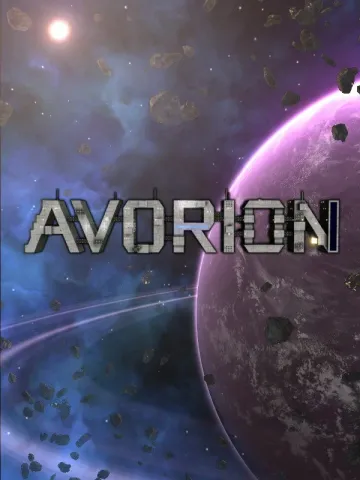
Avorion is a space sandbox. You start in a mining drone at the galaxy's rim, build ships from freely scaled blocks, and push toward a core that grows more dangerous with every jump. Mods reshape that journey, and a dedicated server loads them from a single file.
How to set up an Avorion server
- Pick the plan that fits your crew: 6, 12 or 18 players.
- Pick the data center closest to your players.
- Pay, and we build the server for you.
- Give your galaxy a name and add your 64-bit Steam ID as the server's admin.
- Start the server once so it writes the galaxy's
server.ini.
Shut the server down before you edit server.ini. Avorion rewrites the file when it shuts down.
How to join your Avorion server
- Copy your server's IP address and port. Avorion's default game port is 27000.
- Start Avorion and connect to that address from the game's multiplayer options.
- Type the galaxy's password if you set one.
Want strangers to find the galaxy too? Switch isListed on in server.ini, and Avorion adds the server to its public list.
How to move an existing galaxy to your server
- Close the galaxy on your PC so it finishes saving.
- Find its folder:
%appdata%\Avorion\galaxieson Windows or~/.avorion/galaxieson Linux. - Stop your server and back up its own galaxy folder.
- Upload your folder to the server's
galaxiesfolder, and set the server's galaxy name to the folder's name. - Start the server and fly back into your galaxy.
Keep a beta-branch galaxy on the beta branch. The Avorion wiki's server guide warns that a downgrade corrupts it.
How to add mods to your Avorion server
- Shut down your Avorion server.
- Create a file named
modconfig.luain your galaxy's folder. - Add each mod to the
modslist by its Workshop ID, for example{workshopid = "1691539727"}. - Add the client-side mods your players may use to the
allowedlist. - Start the server again, and it downloads each Workshop mod and updates it on every start.
A mod from outside the Workshop goes in by its path, and you update it by hand.
Workshop mods, kept current
List a mod's Workshop ID in the galaxy's modconfig.lua file. The server downloads the mod and updates it on every start, and players who join receive it from the Workshop automatically.
Client-side mods you approve
The same file carries a second list: the client-side mods your players may use. You write that list, and you can change it whenever the galaxy's needs change.
Mods switch off achievements
Avorion disables Steam achievements while mods are in use. Tell your crew before you add the first one, so nobody loses an evening of achievement hunting.
What our customers say
We’re rated excellent or 4.3/5.0 based on over 435+ reviews at
- June 14th
Great host! “ I've been with this host for a little over 7 months now. Support is given almost instantly. Max I ever waited was 30(ish) minutes. ”
- Daniel Ramirez
- May 20th
Excellent and easy to use host “ Excellent service, really quick and easy to set up with lots of options and systems that really take the hassle out of hosting a server. ”
- Reece Cooper
- May 5th
I LOVE using RAMShard! “ I very much LOVE using RAMShard. It's efficient, easy to use, and the staff is extremely helpful! ”
- Cole Spencer
Looking for more customer reviews?
Read More »FAQ
Have your own question? Ask us.
The server's maxPlayers setting decides, and the game's own default is 10. Our plans are sized for 6, 12 and 18 players: Drone, Fleet and Empire. Move up a plan when your crew grows, and your galaxy comes with you.
It depends on how many players are online and how far apart they fly. The server keeps sectors that hold players' ships running, up to a set number for each player and alliance. Drone has 4 GB, Fleet has 6 GB and Empire has 8 GB. Large stations, big fighter squadrons and a long mod list all favour the larger plans.
Steam lists Avorion for Windows, macOS and Linux with cross-platform multiplayer, so friends on any of the three can meet on one server. By default the server signs players in through Steam.
Start Avorion and connect to your server's IP address and port. The game's default port is 27000. If you set a password, the game asks for it when you connect, and a server with isListed switched on also appears in Avorion's public list.
Yes. Avorion stores each galaxy in its own folder, under %appdata%\Avorion\galaxies on Windows and ~/.avorion/galaxies on Linux. Stop your server, upload the folder with the file manager or FTP, point the server at that galaxy name and start it again.
Create a modconfig.lua file in your galaxy's folder and list each mod by its Workshop ID. The server downloads the mods and keeps them up to date each time it starts, and your players get them from the Workshop when they join. Mods disable Steam achievements.
Avorion names its admins by 64-bit Steam ID, which the server takes as its admin setting when it starts. An admin can type server commands in the game, such as /save and /stop. To control the server without joining, set an RCON password in server.ini and connect an RCON tool. Avorion's default RCON port is 27015.
Yes. Set a password in server.ini and every player must enter it to join. You can also switch the access list from a blacklist to a whitelist, and leave isListed off to keep the server out of public lists.
Yes, if you want to run it yourself. Boxelware offers the server software free through SteamCMD, for Windows and Linux. Your PC has to stay on for the galaxy to be online. You also forward port 27000 on TCP and UDP and ports 27003, 27020 and 27021 on UDP, and you update the server yourself after each patch. A rented server runs in a data center day and night, and you manage it from a control panel in your browser.
Yes. Our support team answers by ticket and live chat at any hour, and the knowledge base explains the common jobs one step at a time.
Yes. Every server comes with a 3 day money back guarantee. Contact us within 3 days of paying and we refund you in full.
Visa, Mastercard, American Express, PayPal, Apple Pay, Google Pay and Link.
Need a different game?
Choose from our list of games below.



