
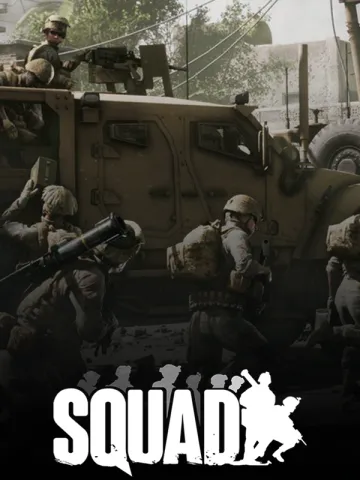

- Tactical shooter
- PC on Steam
- Workshop mods
- Your layer rotation
SquadServer Hosting
Give your clan a Squad server of its own, online around the clock for 15 players or for 40 and more. You choose the layers, the admins, the password and the Workshop mods.
- Instant setup
- DDoS protection
- 24/7 support
- Full file access
- NVMe SSD storage
- 3 day money-back
Starting at €7.28 EUR/month
Choose your plan
Server location
Nearest to you
- Most popular


- Best value

Secure and trusted payments
Server locations around the world
Pick the location closest to your players for the lowest latency. Test your ping from this browser to each of our data centers and see the hardware behind every one.
- Locations
- 16+
- Top CPU clock
- 5.7 GHz
- Support
- 24/7

North America
Virginia
Your ping
- Processor
- AMD EPYC 4465P
- Max clock
- 5.40 GHz
- Memory
- DDR5
- Network port
- 1-10 Gbps
Your ping
Your ping test starts in a moment.
North America
South America
Europe
Asia Pacific
Everything Your Squad Server Needs
Squad server hosting with the parts a community depends on: quick processors and drives, a network that filters attacks, and people to ask at any hour. Both plans include all of it.
Network
Always-on DDoS Protection
A community server with a queue draws attention, and an attack in the middle of a round empties both teams. We filter attack traffic before it reaches your server, on both plans and at all hours.
Hardware
NVMe SSDs
Squad loads a new layer, map and all, after every round. NVMe drives read those files quickly each time the server changes layer.
Hardware
AMD Ryzen and EPYC Processors
Squad's server browser shows the health of every server, and players pass over one that struggles. The AMD processors behind both plans clock up to 5.7 GHz.
Support
Support Around the Clock
A mod that will not load, or an admin whose commands do nothing? Ask our team by ticket or live chat at any hour. The knowledge base walks through the usual tasks.
Panel
Automatic Tasks
Set a restart for the quiet hours before your community's evening matches, and an announcement to warn anyone still playing. The panel repeats each task on the interval you pick.
Panel
Bring In Your Admins
Give your clan's officers access to the control panel, so someone can restart the server or swap the layer rotation while you are away. You decide what each person can do.
Network
Automatic Failover
If a machine fails, your server starts again on a healthy one without a ticket from you. Your community loses one round and keeps its evening.
Network
Low Latency Routes
A long-range firefight is hard enough without lag. We control the routes your players' traffic takes and tune them for speed, so choose the location closest to your community.
Dedicated servers
Why rent a Squad dedicated server?
Every Squad match runs on a server that a clan or a community owns, and its owners decide how the match is played. Rent a Squad dedicated server and those decisions pass to you: which layers run, who holds admin powers and who gets through the door.
Your layers
A layer sets the map, the game mode and the factions. List the ones you want in the rotation file, or let players vote when a round ends. Skirmish and Seed layers suit the hours when few players are online.
Your admins
Sort admins into groups and give each group only the powers it needs: changing the layer, kicking, banning or the admin camera. A reserve permission holds a slot for your members.
Your schedule
Keep the server public and let a queue form, or set a password for a clan match or a training night. The server stays up between events, so nobody waits for a host to come online.
Mods and layers
Modded Squad server hosting with Steam Workshop mods
Squad is a tactical shooter from Offworld Industries. Two teams of up to 50 fight over objectives in squads of nine, and voice chat, supply runs and forward bases decide a match as much as aim does. Workshop mods bring maps, factions and rules the base game does not have, and your server can run them.
How to set up a Squad server
- Choose Rally Point or FOB by the number of players you expect.
- Pick the data center closest to your community.
- Pay, and we build the server for you.
- Open
Server.cfgin the server'sSquadGame/ServerConfigfolder and setServerName, the name players see in the browser. - List the layers you want in
LayerRotation.cfg, add yourself toAdmins.cfgand start the server.
How players find and join your server
- Start Squad and open the server browser from the main menu.
- Switch to the Custom Servers tab.
- Type the server's name into the search bar.
- Double-click the server, or select it and click Join Server.
A lock icon marks a server with a password. When the server is full, a player waits in the queue and the game connects them once a slot opens.
How to add Workshop mods to your server
- Subscribe to the mod on Squad's Steam Workshop and let Steam download it.
- On your PC, open Steam's
steamapps/workshop/content/393380folder. Each mod sits in a folder named with its Workshop ID. - Stop the server.
- Upload the mod's folder to
SquadGame/Plugins/Modson the server. Create thePluginsandModsfolders if they are missing. - Start the server. It lists the mod's maps in its log as it boots.
How to add admins and reserved slots
- Open
Admins.cfgin theSquadGame/ServerConfigfolder. - Define a group and its permissions, for example
Group=Moderator:changemap,chat,kick,ban. - Assign a player to the group by SteamID64:
Admin=76561198000000000:Moderator. - For reserved slots, add
Group=Whitelist:reserve, assign your members to it and setNumReservedSlotsinServer.cfg. - Restart the server to load the new list.
Admins type their commands into the in-game console, for example AdminBroadcast to message everyone or AdminChangeLayer to switch layer.
One folder per mod
The server loads each mod from its own folder inside SquadGame/Plugins/Mods. The folder's name is the mod's Workshop ID. Add it, restart, and the server reads the mod's maps as it boots.
Players bring the mod too
A modded server suits a community that plans ahead. Tell your players which Workshop items to subscribe to before match night, so everyone arrives with the same files.
Listed under Custom Servers
Squad's main browser lists the servers Offworld has licensed. A server without a license, or one running mods Offworld has not whitelisted, appears on the Custom Servers tab, where players search for it by name.
What our customers say
We’re rated excellent or 4.3/5.0 based on over 435+ reviews at
- June 14th
Great host! “ I've been with this host for a little over 7 months now. Support is given almost instantly. Max I ever waited was 30(ish) minutes. ”
- Daniel Ramirez
- May 20th
Excellent and easy to use host “ Excellent service, really quick and easy to set up with lots of options and systems that really take the hassle out of hosting a server. ”
- Reece Cooper
- May 5th
I LOVE using RAMShard! “ I very much LOVE using RAMShard. It's efficient, easy to use, and the staff is extremely helpful! ”
- Cole Spencer
Looking for more customer reviews?
Read More »FAQ
Have your own question? Ask us.
Squad's matches go up to 100 players, 50 on each team. The two plans here are sized for smaller communities: Rally Point for up to 15 players and FOB for 40 and more. FOB is the customizable plan, so you can order it with more memory for a larger group.
Both plans and their monthly prices are at the top of this page. A plan's price covers the server, DDoS protection and support, and there is no setup fee. Quarterly and annual billing lower the monthly price.
No. Any server can run without one. Offworld Industries licenses servers that meet its rules on player slots, admin teams and vanilla play, and only licensed servers appear in the main browser list. A server without a license is listed under Custom Servers, where your players find it by name.
Yes. You have full access to the server's files, and Squad loads Steam Workshop mods from its Plugins/Mods folder. A server running mods that Offworld has not whitelisted is listed under Custom Servers, and your players need the same mods from the Workshop.
Yes. An admin whose group has the private permission opens the in-game console and runs AdminSetServerPassword followed by the password. Run it with a pair of empty quotes to remove the password. Players see a lock beside a protected server in the browser.
Any that ship with the game. Squad's layers cover Advance and Secure, Random Advance and Secure, Invasion, Territory Control, Insurgency, Destruction, Skirmish and Seed. You list the layers you want in the rotation file, or set the server to let players vote after each round.
Squad is a PC game on Steam today, and these plans host the PC version. Offworld Industries has run technical tests of a console version. Until it releases, every player on your server joins from a PC.
You can. Offworld's server software is a free download through SteamCMD and runs on Windows or Linux. You forward the game, query and RCON ports on your router, keep the machine switched on and update the server after each patch. A rented server stays online in a data center while your PC is off, and you manage it from a browser.
Squad keeps no world between rounds, so a server is its settings. Download the files in your old server's SquadGame/ServerConfig folder, such as Server.cfg, Admins.cfg, Bans.cfg and the rotation files, and upload them over the new server's copies. Copy your mod folders the same way, then start the server.
Yes. Support answers tickets and live chat at any hour, and our knowledge base has step-by-step guides for the usual tasks.
We refund you in full under our 3 day money back guarantee. Ask within 3 days of paying.
Visa, Mastercard, American Express, PayPal, Apple Pay, Google Pay and Link.
Need a different game?
Choose from our list of games below.



