
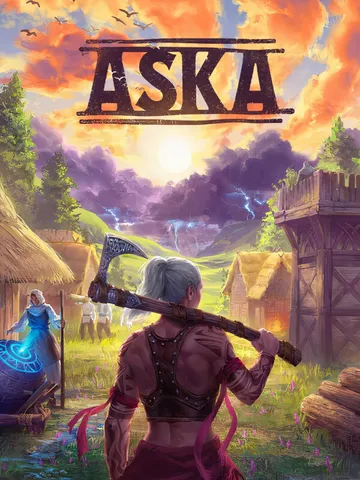

- Survival
- Up to 4 players
- Custom game mode
- PC on Steam
ASKAServer Hosting
Give your tribe a village that is there whenever one of you logs in. A RAMShard ASKA server keeps your world online for up to four players, so nobody waits for the host before they build, hunt or stock up for winter.
- Instant setup
- DDoS protection
- 24/7 support
- Full file access
- NVMe SSD storage
- 3 day money-back
Starting at €9.11 EUR/month
Your ASKA server plan
Server location
Nearest to you
Secure and trusted payments
Server locations around the world
Pick the location closest to your players for the lowest latency. Test your ping from this browser to each of our data centers and see the hardware behind every one.
- Locations
- 16+
- Top CPU clock
- 5.7 GHz
- Support
- 24/7

North America
Virginia
Your ping
- Processor
- AMD EPYC 4465P
- Max clock
- 5.40 GHz
- Memory
- DDR5
- Network port
- 1-10 Gbps
Your ping
Your ping test starts in a moment.
North America
South America
Europe
Asia Pacific
Everything Your ASKA Server Needs
ASKA server hosting for a village that keeps growing: fast hardware, a protected network and a team on call. Every plan includes all of it.
Network
Always-on DDoS Protection
A settlement takes weeks of shared work, and an attack on the server should not cost your tribe an evening of it. We filter attack traffic before it reaches your server, on every plan, all the time.
Hardware
NVMe SSDs
ASKA autosaves the whole settlement: every building, every stockpile and every villager. NVMe drives write those saves quickly, and a large village loads without a long wait.
Hardware
AMD Ryzen and EPYC Processors
A grown village is full of villagers working, eating and sleeping on their own schedules, and the server tracks each one. The AMD processors behind your village reach clock speeds of up to 5.7 GHz.
Support
Support Around the Clock
Is your server missing from the game's session list, or did a world setting not apply? Ask our team by ticket or live chat at any hour, or follow a step-by-step guide for the common ASKA jobs.
Panel
Automatic Tasks
Schedule restarts on an interval, such as one in the early morning while your tribe is offline. You set the schedule once, and the panel repeats it every day your village runs.
Panel
Invite Your Tribe
Share the control panel with the other players in your tribe. Each of them can restart the server or change a setting while you are away, within the limits you set.
Network
Automatic Failover
When a machine fails, we start your server again on a healthy one automatically. Your village comes back without you opening a ticket.
Network
Low Latency Routes
ASKA's combat rewards a well-timed block or dodge, and a low ping keeps that timing fair. We control the routes your tribe's traffic takes to the server and tune them for performance. Pick the location nearest your four players.
Dedicated servers
What an ASKA dedicated server changes for your tribe
In a normal co-op session, ASKA's world runs on the host's PC and closes when the host quits. An ASKA dedicated server keeps the same world in a data center, where progress persists and any of your four players can open it.
The village is open at any hour
Any player in the tribe can log in to haul timber, fill the food stores or finish a wall while the others are at work. The village is where the last player left it.
Four Vikings, one village
ASKA is a co-op game for up to four players, and the server has a place for each of them. Set a password and the world stays private to your group.
Your seasons, your rules
Run a Normal world, or switch to Custom and tune it: invasion difficulty, monster and animal numbers, day and year length, the starting season and how fast structures decay.

About the game
Raise a Viking village together in ASKA
ASKA is a Viking survival game in Early Access from Sand Sailor Studio. You gather, craft and fight as in other survival games, then recruit villagers and run a whole settlement. A shared server gives your tribe one village to build over many evenings.
How to set up an ASKA server
- Choose the server location nearest your tribe.
- Check out, and we create your ASKA server.
- Create a Steam game server token for ASKA (app ID 1898300) on Steam's game server account page. ASKA uses the token to sign your server in to Steam.
- In the
server properties.txtfile, set the display name, a password and a seed, and add the token. - Start the server and look for its name in the game.
How to join your ASKA server
- Open ASKA and go to its multiplayer screen.
- Find your server's name in the list of joinable games.
- Select it and enter the password if you set one.
Once you are in, press Enter to open the text chat.
How to change your world's settings
An ASKA world runs in Normal or Custom mode.
- Stop your ASKA server.
- Open
server properties.txtand setmodetocustom. - Set the options you want, such as invasion difficulty, monster population, day length or structure decay.
- Start the server again.
Set the seed, the terrain options and the starting season before the first start. ASKA uses them when it creates the world.
How to upload your ASKA world
- On your PC, open
%USERPROFILE%\AppData\LocalLow\Sand Sailor Studio\Aska\data. - Find your world's
savegame_folder. Themetafile inside each folder holds the session's name. - Stop your server and upload that folder to the server's save data folder.
- In
server properties.txt, setsave idto that world's id. - Start the server and join to check the village.
Our support team can help if the world does not load.
Villagers who work beside you
Recruit villagers, house them and give them jobs as woodcutters, hunters, builders or warriors. Each one needs food, water and rest, so a bigger tribe takes more planning.
Plan around the seasons
Your tribe needs different things as the weather and the seasons turn. Fill the stores before winter, keep the fires fed through the cold, and raise your defences before the next invasion.
A game still growing
Sand Sailor Studio keeps adding to ASKA with major updates, from dedicated servers and text chat to a much larger set of Custom Game settings.
What our customers say
We’re rated excellent or 4.3/5.0 based on over 435+ reviews at
- June 14th
Great host! “ I've been with this host for a little over 7 months now. Support is given almost instantly. Max I ever waited was 30(ish) minutes. ”
- Daniel Ramirez
- May 20th
Excellent and easy to use host “ Excellent service, really quick and easy to set up with lots of options and systems that really take the hassle out of hosting a server. ”
- Reece Cooper
- May 5th
I LOVE using RAMShard! “ I very much LOVE using RAMShard. It's efficient, easy to use, and the staff is extremely helpful! ”
- Cole Spencer
Looking for more customer reviews?
Read More »FAQ
Have your own question? Ask us.
Four. ASKA is built for solo play or co-op with up to three friends, and a dedicated server keeps that limit. The Longhouse plan has a place for all four.
ASKA is a Windows PC game sold on Steam, so every player joins from Steam. These servers host that version of the game.
You can. Sand Sailor Studio publishes the ASKA Dedicated Server app in the Tools section of the Steam library. Your PC has to stay on for the world to be online, the server needs a Steam authentication token, and you handle the ports, the updates and the backups yourself. A rented server runs in a data center around the clock, and you manage it from a control panel in your browser.
Open ASKA's multiplayer screen and look for your server's name in the list of joinable games. Select it, enter the password if the server has one, and you load into the village.
Yes. The world runs on our hardware, so any player with the password can join at any hour and carry on with the village. When the last player leaves, ASKA pauses the world, which means winter does not arrive while nobody is there. The `keep server world alive` setting changes that if you want the villagers to keep working.
Yes. ASKA keeps each world in its own `savegame_` folder on your PC. Upload that folder to your server with full file access, set `save id` in `server properties.txt` to match it, and start the server.
Yes. Set a password in `server properties.txt` and share it only with your tribe. ASKA asks every player for it before they join.
ASKA has no Steam Workshop, and we have not confirmed that any community mod runs on a dedicated server. The game's own Custom mode is the supported way to change a world: it covers invasions, monsters, animals, climate, seasons and structure decay. You have full access to your server's files.
Set `mode` to `custom` in `server properties.txt`, then choose the invasion difficulty and the monster and animal populations. Lower them for a calmer village or raise them for a harder one. Restart the server to apply the change.
Yes. Our support team answers by ticket and live chat at any hour, and the knowledge base has step-by-step guides for the common jobs.
Yes. Every server comes with a 3 day money back guarantee. Contact us within 3 days of your payment and we refund it in full.
Visa, Mastercard, American Express, PayPal, Apple Pay, Google Pay and Link.
Need a different game?
Choose from our list of games below.



