

- Simulation
- Co-op and PvP
- Mods and scenarios
- Bring your own save
FactorioServer Hosting
Give your factory a home that stays online for the whole team, with room for 4 players or for 20 and more. Upload the save you already play or generate a fresh map, then add mods from the mod portal when the vanilla tech tree runs out.
- Instant setup
- DDoS protection
- 24/7 support
- Full file access
- NVMe SSD storage
- 3 day money-back
Starting at ¥795 JPY/month
Pick your Factorio plan
Server location
Nearest to you
- Common
- Most popular
- Best value
Secure and trusted payments
Server locations around the world
Pick the location closest to your players for the lowest latency. Test your ping from this browser to each of our data centers and see the hardware behind every one.
- Locations
- 16+
- Top CPU clock
- 5.7 GHz
- Support
- 24/7

North America
Virginia
Your ping
- Processor
- AMD EPYC 4465P
- Max clock
- 5.40 GHz
- Memory
- DDR5
- Network port
- 1-10 Gbps
Your ping
Your ping test starts in a moment.
North America
South America
Europe
Asia Pacific
Everything Your Factorio Server Needs
Factorio server hosting for a factory that only gets bigger. Each plan comes with quick processors and drives, a network that filters attacks, and people to ask when a mod breaks.
Network
Always-on DDoS Protection
A long-running map holds hundreds of hours of your team's work, and an attack should not be the reason nobody can log in. We filter attack traffic out before it reaches your server, on every plan, all the time.
Hardware
NVMe SSDs
Factorio keeps your whole map in one save file, and that file grows with every belt, train and outpost you add. NVMe drives write each save quickly, so a large factory spends less time saving.
Hardware
AMD Ryzen and EPYC Processors
A Factorio server works through every machine, belt and inserter your team has placed. It runs on AMD processors with clock speeds of up to 5.7 GHz.
Support
Support Around the Clock
Stuck on a mod that refuses to load, or a save the server will not open? Ask our team by ticket or live chat at any hour, or follow the step-by-step guides for the common jobs.
Panel
Automatic Tasks
Put a restart in the quiet hours, with an in-game announcement first to warn anyone still on the assembly line. The panel repeats both on the interval you choose.
Panel
Share the Controls With Your Team
A factory is a team job, and so is running its server. Give trusted teammates access to the control panel so they can restart the server or change a setting while you are away, and choose what each of them can do.
Network
Automatic Failover
Hardware can fail. When it does, your server starts again on a healthy machine by itself, and your team gets back to the factory without opening a ticket.
Network
Low Latency Routes
Teammates in different cities all connect to one server. We control the routes their traffic takes and tune them for performance. Choose the location nearest your team for the lowest ping.
Dedicated servers
Why rent a Factorio dedicated server?
You can host a multiplayer game from your own copy of Factorio, and it works until the host logs off: the map lives on that PC and stops when it does. A Factorio dedicated server runs the map by itself, so anyone on the team can join at any hour.
Build on your own hours
The save lives on the server, so no single player has to be online. Whoever has a spare hour can log in and untangle the oil setup.
The factory waits for you
By default a Factorio server pauses the game while nobody is connected, so nothing attacks an empty base. Switch auto-pause off in the server settings if you want production to run around the clock.
Your save, your map
Upload a save you already play, or generate a new map with your own ore, enemy and pollution settings. Set a game password to keep the server to your group.
Mods and scenarios
Modded Factorio server hosting, from small tweaks to full overhauls
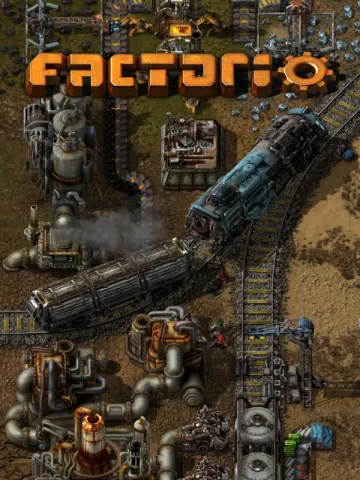
Factorio is a game about building a factory that builds itself. You mine, research and automate until machines do the work, and you defend all of it from the planet's creatures. Mods stretch that loop in every direction, and Factorio runs them in multiplayer.
Setting up a Factorio server, step by step
- Choose a plan sized for the number of people who will build together.
- Pick the server location closest to them.
- Pay, and we create the server.
- In the control panel, give the server a name and, if you want one, a game password.
- Start the server and send your team its address.
Connecting to the server from Factorio
- Open Factorio and choose Multiplayer.
- Choose Connect to address.
- Enter your server's address and port, for example
203.0.113.10:34197. - Enter the game password if the server has one.
Your game must be on the same version as the server. A server set to public also appears under Browse public games.
Moving an existing save to the server
Factorio stores each save as one zip file.
- Find the file in your saves folder:
%appdata%\Factorio\saveson Windows,~/Library/Application Support/factorio/saveson macOS or~/.factorio/saveson Linux. - Stop the server.
- Upload the zip file to the server's
savesfolder. Leave it zipped. - Set the server to load that save, then start it.
If the save uses mods, upload the same mods as well.
Adding mods and admins
To add mods:
- Download each mod's zip file from the mod portal, along with any mods it depends on.
- Stop the server and upload the zip files to its
modsfolder, without unzipping them. - Start the server.
To add an admin, type /promote PlayerName in the game's chat while you are an admin yourself. Factorio keeps the list in server-adminlist.json, in a form such as ["user1", "user2"], and you can edit that file to add the first admin. Admins can /kick and /ban players.
The mod portal
Wube runs an official mod portal, built into the game and open on the web. Each mod is a zip file, and it goes into your server's mods folder still zipped.
Players sync when they join
Everyone needs the same mods, at the same versions, as the server. When a player connects, the game offers to download and enable the server's exact mod list for them.
Scenarios and PvP
A multiplayer game runs co-op freeplay unless you choose otherwise. Load a scenario to change the rules, or split players into forces, each with its own research, for a PvP map.
What our customers say
We’re rated excellent or 4.3/5.0 based on over 435+ reviews at
- June 14th
Great host! “ I've been with this host for a little over 7 months now. Support is given almost instantly. Max I ever waited was 30(ish) minutes. ”
- Daniel Ramirez
- May 20th
Excellent and easy to use host “ Excellent service, really quick and easy to set up with lots of options and systems that really take the hassle out of hosting a server. ”
- Reece Cooper
- May 5th
I LOVE using RAMShard! “ I very much LOVE using RAMShard. It's efficient, easy to use, and the staff is extremely helpful! ”
- Cole Spencer
Looking for more customer reviews?
Read More »FAQ
Have your own question? Ask us.
Your plan decides. Outpost suits up to 4 players, Factory up to 12, and Megabase 20 and more. The game itself is no obstacle at those sizes: Wube says Factorio's multiplayer allows up to 500 players in a single game.
Each plan shows its monthly price on its card at the top of this page. That price includes the server, DDoS protection and support, and there is no setup fee. Quarterly and annual billing bring the monthly cost down.
Start from the number of people who will play at once: Outpost for a small group, Factory for a bigger team, Megabase for a community. A sprawling base and a long mod list both use more memory, so size up if you plan either. You can change plan later and keep your save.
Yes to both. You have full access to the server's files, so you can upload mods from the mod portal to its mods folder. Every player needs the same mods at the same versions, and the game offers to download and enable them when a player joins.
Yes. A Factorio save is a single zip file in your saves folder. Upload it to the server's saves folder, load it, and your team carries on from where you stopped. Saves from a game you hosted for friends move the same way.
The server stays online at every hour, but by default Factorio pauses the game while no players are connected. Your factory, and anything that wants to attack it, waits for you. To keep production running with nobody on, turn off the auto-pause option in the server settings.
Factorio supports multiplayer between PC and Nintendo Switch when both run the same game version. The Switch version has no mod support, so keep the server unmodded if Switch players will join. Online play on Switch needs a Nintendo Switch Online membership.
Add your Factorio username to the server's `server-adminlist.json` file and restart the server. From then on you can promote other players from the game's chat with `/promote` and remove them with `/demote`. Admins can kick, ban and mute players.
You can. Wube offers a free headless server for Linux, and the Windows game can run as a server too. Your PC has to stay on for the server to be reachable, and you forward UDP port 34197 on your router and keep the server on the same version as your players. A rented server sits in a data center, online all day, and you manage it from a control panel in your browser.
Yes. Support answers by ticket and live chat at any hour, and the knowledge base walks through the common jobs one step at a time.
We have a 3 day money back guarantee. Ask within 3 days of paying and we refund you in full.
Visa, Mastercard, American Express, PayPal, Apple Pay, Google Pay and Link.
Need a different game?
Choose from our list of games below.



