
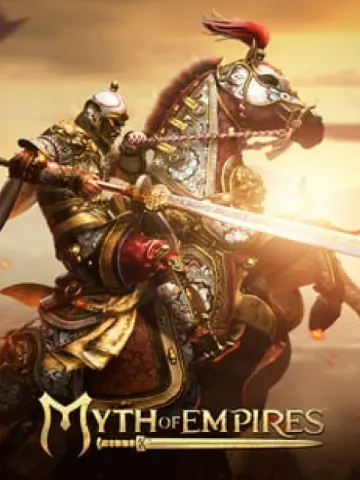

- Survival
- War sandbox
- Steam Workshop mods
- Two official maps
Myth Of EmpiresServer Hosting
Raise walls that are still standing when you log back in. A RAMShard Myth Of Empires server keeps your world online around the clock for 16 players or 64 and more, and anyone with the game on Steam can find it by name in the custom server list.
- Instant setup
- DDoS protection
- 24/7 support
- Full file access
- NVMe SSD storage
- 3 day money-back
Starting at ¥3187 JPY/month
Choose your plan
Server location
Nearest to you
- Common


- Most popular

- Best value

Secure and trusted payments
Server locations around the world
Pick the location closest to your players for the lowest latency. Test your ping from this browser to each of our data centers and see the hardware behind every one.
- Locations
- 16+
- Top CPU clock
- 5.7 GHz
- Support
- 24/7

North America
Virginia
Your ping
- Processor
- AMD EPYC 4465P
- Max clock
- 5.40 GHz
- Memory
- DDR5
- Network port
- 1-10 Gbps
Your ping
Your ping test starts in a moment.
North America
South America
Europe
Asia Pacific
Everything Your Myth Of Empires Server Needs
Myth Of Empires server hosting built for long campaigns: fast hardware, a protected network and a team on call. Every plan includes all of it.
Network
Always-on DDoS Protection
A fortress battle should be settled by the guilds on the field. We filter attack traffic before it reaches your server, on every plan, at every hour.
Hardware
NVMe SSDs
A Myth Of Empires world keeps growing: walls, workshops, stables, crop fields and every chest inside them. NVMe drives get each save onto disk quickly, even after several guilds have built up the map.
Hardware
AMD Ryzen and EPYC Processors
Dozens of players, their horses and their recruited warriors all need simulating at once. The AMD processors under your world reach clock speeds of up to 5.7 GHz.
Support
Support Around the Clock
Stuck on a Workshop mod that will not load, or a setting that did not stick? Ask by ticket or live chat at any hour. Step-by-step guides cover the common jobs too.
Panel
Automatic Tasks
Schedule restarts and announcements on an interval, for example a restart in the quiet hours with a warning beforehand so nobody is mid-siege when it lands. Set the task once and the panel repeats it.
Panel
Bring In Your Guild Officers
Give trusted officers access to the control panel so they can restart the server or change a setting while you are offline. You decide what each of them can do.
Network
Automatic Failover
When a machine fails, we restart your server on a healthy one automatically. Your campaign carries on, and you have no ticket to open.
Network
Low Latency Routes
A fight at the gate comes down to timing. We control the routes your players' traffic takes and tune them for performance, so pick the location nearest your guild for the lowest ping.
A server for your guild
Why rent a Myth Of Empires dedicated server?
Myth Of Empires gives you four ways to play: official servers, custom servers, solo mode and hosted mode. A Myth Of Empires dedicated server of your own is the custom kind. It runs in a data center, so the world stays up after every player has logged off.
A world that stays up
Bases, herds and long builds belong in a persistent world. Your server runs day and night, so guild members in other time zones log in whenever they are free. Nobody waits for a host.
Rules your guild sets
A new server starts with the same gameplay settings as the official ones. Change them to suit your group, set a password so only invited players get in, and name your own game masters.
Either official map
Pick one of the two official maps when you set the server up: Zhongzhou, the original continent, or Dongzhou, the map of islands, volcanoes and open sea that arrived with version 1.0.
The game
What you do on a Myth Of Empires server
Myth Of Empires is a multiplayer war sandbox from Angela Game, out of early access since version 1.0. You arrive with nothing, craft your way up through 25 development paths, and grow from one survivor into a guild that fights for territory.
How to set up a Myth Of Empires server
- Choose a plan sized for the number of players you expect.
- Select the data center closest to them.
- Pay, and we build the server.
- In the control panel, give the server a name.
- Set a password if you want it private, choose your map and start the server.
Give the server a name your players can spell. The game lists custom servers by name.
Finding your server in the custom server list
- Open Myth Of Empires and choose Custom Server on the main menu.
- Switch to the Single Server tab.
- Search for your server's name.
- Select it, and enter the password if you set one.
How to add game masters (GMs)
Myth Of Empires calls its admins game masters. The server takes a list of GM accounts, and each entry is a player's Steam ID.
- Collect the Steam ID of each player you trust with GM powers.
- Add the IDs to the server's GM accounts setting, with a semicolon between each one.
- Restart the server.
Adding Steam Workshop mods to your server
- Find the mod on the Myth Of Empires Steam Workshop and copy its Workshop ID, the number at the end of the mod's page address.
- Add that ID to your server's mod list.
- Restart the server so it loads the mod.
Angela Game's own server tool works the same way: you enter Workshop IDs, install them, then tick each mod you want switched on.
Craft, farm and build
More than 1,300 recipes cover what you craft, from your first tools to the pieces of your base. Farming unlocks as you level up, and your guild's shared tech opens new buildings for every member.
Tame horses, recruit warriors
Tame wild horses three different ways, then breed better ones. Win over the wanderers you meet and they join you as warriors.
Steam Workshop mods
The game has an official mod editor, and finished mods are shared on the Steam Workshop. A server loads them by Workshop ID, so your whole guild plays with the same additions.
What our customers say
We’re rated excellent or 4.3/5.0 based on over 435+ reviews at
- June 14th
Great host! “ I've been with this host for a little over 7 months now. Support is given almost instantly. Max I ever waited was 30(ish) minutes. ”
- Daniel Ramirez
- May 20th
Excellent and easy to use host “ Excellent service, really quick and easy to set up with lots of options and systems that really take the hassle out of hosting a server. ”
- Reece Cooper
- May 5th
I LOVE using RAMShard! “ I very much LOVE using RAMShard. It's efficient, easy to use, and the staff is extremely helpful! ”
- Cole Spencer
Looking for more customer reviews?
Read More »FAQ
Have your own question? Ask us.
Each plan is sized for a player count. Camp suits up to 16 players, Stockade up to 32, and Stronghold 64 and more. Stronghold starts with the most memory and can be given more, which helps a server with several large guilds or a long mod list. Moving to a bigger plan later is fine.
Monthly prices sit on the plan cards at the top of the page. Each one covers the server, DDoS protection and support, and there is no setup fee. Quarterly and annual billing bring the monthly figure down.
From the main menu they choose Custom Server, open the Single Server tab and search for the name you gave your server. If you set a password, the game asks for it before they enter.
Yes. Myth Of Empires has an official mod editor and a Steam Workshop, and a dedicated server loads mods by their Workshop IDs. You have full access to the server's files as well.
Yes. Angela Game runs both PvP and PvE official servers, and on your own server the choice is yours. The gameplay settings start out matching the official servers, and you change them from there.
Set a server password. Players then have to enter it before they can join, so only the people you share it with get in. Remove the password to open the server to anyone who finds it in the list.
Admins are called game masters, or GMs. Add your Steam ID to the server's GM accounts setting and restart the server. To name several GMs, put a semicolon between their IDs.
Your server runs the PC version of Myth Of Empires, which players get on Steam. Everyone who joins needs that version.
You can. Angela Game ships a server tool with the game. Your PC has to stay on for the world to be online, and players outside your home network can only reach it if you have a public IP address or set up port mapping on your router. Rent a server and it runs in a data center day and night, with a control panel in your browser to manage it.
Yes. Support answers by ticket and live chat at any hour, and the knowledge base walks through the common jobs step by step.
A 3 day money back guarantee covers you. Contact us within 3 days of your payment and we refund it in full.
Visa, Mastercard, American Express, PayPal, Apple Pay, Google Pay and Link.
Need a different game?
Choose from our list of games below.



