

- Factory building
- Co-op
- Steam and Epic crossplay
- Bring your own save
SatisfactoryServer Hosting
Give your factory a home that stays online after you log off. Four pioneers, twelve, or more than 24 join from Steam or the Epic Games Store whenever they like, and nobody waits for a host.
- Instant setup
- DDoS protection
- 24/7 support
- Full file access
- NVMe SSD storage
- 3 day money-back
Starting at ¥2390 JPY/month

Choose your plan
Server location
Nearest to you
- Common

- Most popular
- Best value

Secure and trusted payments
Server locations around the world
Pick the location closest to your players for the lowest latency. Test your ping from this browser to each of our data centers and see the hardware behind every one.
- Locations
- 16+
- Top CPU clock
- 5.7 GHz
- Support
- 24/7

North America
Virginia
Your ping
- Processor
- AMD EPYC 4465P
- Max clock
- 5.40 GHz
- Memory
- DDR5
- Network port
- 1-10 Gbps
Your ping
Your ping test starts in a moment.
North America
South America
Europe
Asia Pacific
Everything Your Satisfactory Server Needs
Satisfactory server hosting has one job: keep a growing factory ticking for everyone who builds on it. Fast hardware, a protected network and a team on call come with every plan.
Network
Always-on DDoS Protection
Your crew has put long hours into that factory, and an attack should not be the thing that stops it. We filter attack traffic before it reaches your server, on every plan and at every hour.
Hardware
NVMe SSDs
A Satisfactory save holds every belt, machine and foundation your crew has placed, and it grows with the factory. NVMe drives write each autosave quickly, so the crew keeps building while the server saves.
Hardware
AMD Ryzen and EPYC Processors
The Satisfactory server favours single-core speed, and every new production line gives it more to simulate. We run it on AMD processors that reach clock speeds of up to 5.7 GHz.
Support
Support Around the Clock
A server that refuses to be claimed, or a save that will not upload? Our team answers by ticket and live chat at any hour, and our guides take you through the common jobs one step at a time.
Panel
Automatic Tasks
Put restarts on a schedule, such as one each morning before your crew logs in. You set it up once and the panel repeats it.
Panel
Invite Your Crew
Let your co-builders into the control panel, so one of them can restart the server or change a setting while you are away. Each person gets only the access you grant.
Network
Automatic Failover
When a machine fails, we bring your server back on a healthy one without being asked. The factory returns with it, and you open no ticket.
Network
Low Latency Routes
A low ping keeps building, driving and train rides responsive for every pioneer. We control the routes your players' traffic takes and tune them for speed. Choose the location closest to your crew for the lowest ping.
Dedicated servers
Why rent a Satisfactory dedicated server?
In a normal co-op game one player hosts, and the session lasts only while that player stays in it. A Satisfactory dedicated server holds the save in a data center instead, so any pioneer can join and leave while it runs.
Open at every hour
The server runs whether you are online or not. A friend in another time zone can log in, fix the coal line and log out again before you wake up.
Steam and Epic together
Players who own the game on Steam and players who own it on the Epic Games Store join the same server. Console players cannot: the console release does not use dedicated servers.
Your save, your settings
Upload the factory you already have or start a fresh one. You hold the admin password, and you decide whether a player password guards the door and how often the server autosaves.
The game
Satisfactory multiplayer: one factory, built by the whole crew
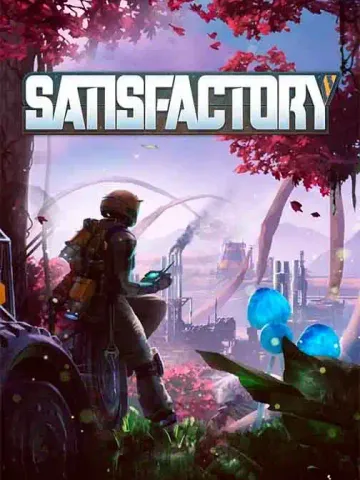
Satisfactory is a first-person factory building game from Coffee Stain Studios, set on an alien planet. You mine ore, turn it into parts and link machines with conveyor belts until the factory runs itself. The crew shares progress in multiplayer, so a milestone one pioneer unlocks opens for everyone.
Starting a Satisfactory server, step by step
- Choose a plan sized for your crew and the location closest to them.
- Complete checkout, and we build the server.
- Open Satisfactory and select Server Manager on the main menu.
- Add your server with its address and port.
- Claim it: give the server a name and set an admin password.
- Create a new game.
You have to claim a server before it can start a game.
Joining through Server Manager
- Open Satisfactory and select Server Manager on the main menu.
- Add the server with the address and port its owner gave you.
- Enter the player password if the owner set one.
- Pick the server from your list and join.
Use Server Manager, not Join Game. The Join Game menu lists sessions that a player hosts.
How to move your save to a server
- Add and claim the server as described above.
- In Server Manager, select the server and open the Manage Saves tab.
- Upload the save from your PC.
- Load it.
You need the admin password to load a save.
How to add a player password
A new server has no player password, so anyone who knows its address can join.
- In Server Manager, select the server and log in with the admin password.
- Open the Server Settings tab.
- Beside "Player password protection", select Change Password.
- Set the password and send it to your crew.
Keep the admin password to yourself: it controls saves, server options and new games.
Automate everything
Conveyor belts, pipes, trucks and trains carry parts from machine to machine. Each tier asks for more complex parts, and the factory grows to make them.
Explore the planet
Expeditions turn up new materials far from your first base. Jetpacks, jump pads, hypertubes and vehicles shorten the trip.
Add community mods
Mods come from ficsit.app and install with Satisfactory Mod Manager. Only mods built for dedicated servers run on one, and every player needs the same mods as the server.
What our customers say
We’re rated excellent or 4.3/5.0 based on over 435+ reviews at
- June 14th
Great host! “ I've been with this host for a little over 7 months now. Support is given almost instantly. Max I ever waited was 30(ish) minutes. ”
- Daniel Ramirez
- May 20th
Excellent and easy to use host “ Excellent service, really quick and easy to set up with lots of options and systems that really take the hassle out of hosting a server. ”
- Reece Cooper
- May 5th
I LOVE using RAMShard! “ I very much LOVE using RAMShard. It's efficient, easy to use, and the staff is extremely helpful! ”
- Cole Spencer
Looking for more customer reviews?
Read More »FAQ
Have your own question? Ask us.
Coffee Stain officially supports four players, and a dedicated server starts with a cap of four. The PC version has no hard limit: the MaxPlayers setting in the server's Game.ini raises the cap. Constructor suits up to 4 players, Assembler up to 12, and Manufacturer 24 and more. A bigger crew and a bigger factory both ask more of the server, so pick the larger plan when in doubt.
The three plans and what each costs per month sit at the top of this page. Every plan includes DDoS protection and support, and we charge no setup fee. Quarterly and annual billing bring the monthly cost down.
Yes. Players on the Steam version and players on the Epic Games Store version connect to the same dedicated server and build together.
No. The console release of Satisfactory cannot use dedicated servers, and console players cannot join one. These plans host the PC version of the game.
Open the game, select Server Manager on the main menu and add the server with its address and port. Then pick it from the list and join. The Join Game menu is for sessions a player hosts, so skip it.
Yes. In Server Manager, open your server's Manage Saves tab and upload the save from your PC, then load it. Your crew carries on from where the factory stood.
Satisfactory has a community mod scene, hosted on ficsit.app. A mod works on a dedicated server when its author built it for servers, and each player must install the same mods to join. Satisfactory Mod Manager can install mods on a remote server, and you have full access to your server's files.
That is your call. The server stays online at all hours. Its Auto Pause setting pauses the game while no players are connected, and switching that setting off lets production carry on with nobody there.
You can. Coffee Stain gives the server software away on Steam and the Epic Games Store. Your PC has to stay switched on for friends to play, the server takes a good share of its memory, and you forward ports 7777 (TCP and UDP) and 8888 (TCP) on your router. A rented server runs in a data center around the clock and leaves your PC free for the game.
Yes. Our support team answers by ticket and live chat at any hour, and our knowledge base takes you through the common jobs one step at a time.
Yes, for 3 days. Contact us within 3 days of your payment and we refund it in full.
Visa, Mastercard, American Express, PayPal, Apple Pay, Google Pay and Link.
Need a different game?
Choose from our list of games below.



