

- Survival
- Nitrox multiplayer
- Steam and Epic
- 4 to 48 players
SubnauticaServer Hosting
Subnautica ships as a single-player game, and the Nitrox mod turns it into a shared one. Your server keeps one ocean online around the clock, so a crew of 4 to 48 players on Steam, Epic or the Microsoft Store can dive, build and explore in the same world.
- Instant setup
- DDoS protection
- 24/7 support
- Full file access
- NVMe SSD storage
- 3 day money-back
Starting at ¥795 JPY/month

Choose your plan
Server location
Nearest to you
- Common


- Most popular


- Best value


Secure and trusted payments
Server locations around the world
Pick the location closest to your players for the lowest latency. Test your ping from this browser to each of our data centers and see the hardware behind every one.
- Locations
- 16+
- Top CPU clock
- 5.7 GHz
- Support
- 24/7

North America
Virginia
Your ping
- Processor
- AMD EPYC 4465P
- Max clock
- 5.40 GHz
- Memory
- DDR5
- Network port
- 1-10 Gbps
Your ping
Your ping test starts in a moment.
North America
South America
Europe
Asia Pacific
Built for Subnautica Server Hosting
Subnautica server hosting pays off when the ocean never closes. That takes fast hardware, a protected network and a support team on call, and every plan includes all three.
Network
Always-on DDoS Protection
An attack that takes the server down mid-dive strands the whole crew. We filter attack traffic before it reaches your server, on every plan, at every hour.
Hardware
NVMe SSDs
Nitrox saves the world on a timer: every base piece, every locker and every parked vehicle. NVMe drives write those saves fast, so the crew keeps building while the server saves.
Hardware
AMD Ryzen and EPYC Processors
A full crew in one ocean keeps a Nitrox server busy. Yours runs on AMD processors that reach clock speeds of up to 5.7 GHz.
Support
Support Around the Clock
A friend who cannot connect, or a Nitrox update that left the server behind? Our team replies by ticket and live chat at any hour, and our guides walk you through the routine jobs.
Panel
Automatic Tasks
Plan a restart for the hours when nobody is diving, and post an announcement before it happens. The panel repeats each task on the interval you set.
Panel
Invite Your Crew
Hand a trusted friend access to the control panel, so someone can restart the server or adjust a setting while you are offline. You decide what each person may do.
Network
Automatic Failover
When a machine fails, your server starts again on a healthy one without a ticket from you. The crew logs back in and finds the base where they left it.
Network
Low Latency Routes
Piloting a vehicle with a friend aboard feels better on a low ping. We choose the paths your crew's traffic travels and tune them for speed. Pick the location closest to your players.
Nitrox dedicated servers
Why rent a Subnautica dedicated server?
Subnautica has no multiplayer of its own. The community-made Nitrox mod adds it through a dedicated server, and whoever runs that server holds the world. Run it on a home PC and the ocean closes each time that PC shuts down.
The world stays open
A rented Subnautica dedicated server runs day and night. Friends log in when they have an hour, add a room to the base and log out again. Nobody waits for a host.
No ports to open
Nitrox listens on UDP port 11000. At home that means port forwarding on your router or a VPN tool. A hosted server has a public address from the start: share it and your crew joins.
Your ocean, your rules
Choose Survival, Freedom, Hardcore or Creative. Set a join password, decide whether players keep their inventory when they die, and switch PvP on or off.
Nitrox multiplayer
Subnautica multiplayer with the Nitrox mod
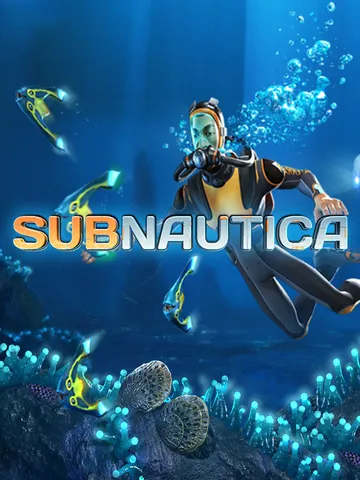
Subnautica drops you into an alien ocean with a lifepod and a scanner. You dive for materials, craft gear and vehicles, and build bases a little deeper each time. Nitrox, a free open-source mod, lets a whole crew do that in one world.
How to set up a Subnautica server
- Pick the plan that fits your crew: 4, 16 or 48 players.
- Choose the data center closest to where your crew lives.
- Pay, and we create your Nitrox server for you.
- In the server's settings, choose a game mode and set a join password.
- Start the server and send its address to your crew.
How to join your Subnautica server
Every player needs Subnautica on PC and the Nitrox mod, which is a free download from nitrox.rux.gg.
- Open the Nitrox Launcher and click Multiplayer.
- Click Add server IP.
- Give the server a name, enter its address under host and click Add server.
- Click Connect on the server in your list.
- Enter a player name, pick a colour and click Join.
Nitrox uses port 11000 unless you changed it.
How to become an admin on your server
Nitrox keeps an admin password in the server's server.cfg file, on the AdminPassword line.
- Join the server.
- Open the chat and type
/loginfollowed by the admin password. - To promote a friend, type
/opand their player name.
Admins can change the join password and the admin password from the chat. Moderators and admins can use /kick and /ban, and /save saves the world at once.
How to change the game mode and rules
- Stop your Nitrox server.
- Open
server.cfgwith the file manager. - Set
GameModetoSURVIVAL,FREEDOM,HARDCOREorCREATIVE. - Set
ServerPasswordto make players enter a password, or leave it empty for an open server. - Set
KeepInventoryOnDeathandPvpEnabledtotrueorfalse. - Save the file and start the server.
What Nitrox shares
Players see each other swim, build bases piece by piece together and share their power. The Seamoth, the PRAWN suit and the Cyclops are synced too, and text chat is built in.
Who can join
Nitrox works with the Steam, Epic Games and Microsoft Store versions of Subnautica on PC, and players from all three can meet on one server. It does not work with Subnautica: Below Zero.
Still in development
Nitrox is a community project, and its team says the mod can have bugs. Leave the server's automatic saves switched on, and update Nitrox on the server and on every player's PC together.
What our customers say
We’re rated excellent or 4.3/5.0 based on over 435+ reviews at
- June 14th
Great host! “ I've been with this host for a little over 7 months now. Support is given almost instantly. Max I ever waited was 30(ish) minutes. ”
- Daniel Ramirez
- May 20th
Excellent and easy to use host “ Excellent service, really quick and easy to set up with lots of options and systems that really take the hassle out of hosting a server. ”
- Reece Cooper
- May 5th
I LOVE using RAMShard! “ I very much LOVE using RAMShard. It's efficient, easy to use, and the staff is extremely helpful! ”
- Cole Spencer
Looking for more customer reviews?
Read More »FAQ
Have your own question? Ask us.
Unknown Worlds built Subnautica as a single-player game, and it has no official multiplayer mode. Nitrox, a free open-source mod made by the community, adds one. It is not an Unknown Worlds product. Your crew connects through a Nitrox server, which is what these plans run.
Between 4 and 48, depending on the plan. Seaglide suits up to 4 players, Seamoth up to 16 and Cyclops up to 48. Move to a larger plan when your crew grows, and your world moves with you.
Yes. Every player needs Subnautica on PC and the Nitrox mod, which is free. Keep everyone on the same Nitrox version as the server, and update together when a new one comes out.
Between PC stores, yes. Nitrox works with the Steam, Epic Games and Microsoft Store versions of Subnautica, and players from all three can join the same server. The Microsoft Store version needs some extra setup, which the Nitrox team explains on its Discord. Nitrox is a PC mod, so console players cannot join, and it does not work with Subnautica: Below Zero.
Yes, Nitrox is free and you can run its server at home. Your PC has to stay on for the world to be online, and your friends reach it only after you forward UDP port 11000 on your router or set up a VPN tool. A rented server runs in a data center 24 hours a day with a public address, and you manage it from your browser.
Open the Nitrox Launcher, click Multiplayer and then Add server IP. Enter a name for the server and its address, click Add server, then click Connect. Choose a player name and a colour and click Join.
Yes. Set a server password in the server's settings and share it with your crew only. Nitrox then asks each player for it when they connect. A separate admin password controls who can run admin commands.
Yes, if the world was made with Nitrox, which has its own save system. Stop the server, upload the world's save files with the file manager or FTP, and start it again.
Choose by the size of your crew. Seaglide suits a group of four, Seamoth a community of up to 16, and Cyclops a public server of up to 48. Cyclops also has the most memory and costs the least per player.
Yes. Our support team answers by ticket and live chat at any hour, so you can ask at the moment you get stuck.
We have a 3 day money back guarantee. Contact us within 3 days of payment and we refund you in full.
Visa, Mastercard, American Express, PayPal, Apple Pay, Google Pay and Link.
Need a different game?
Choose from our list of games below.



