
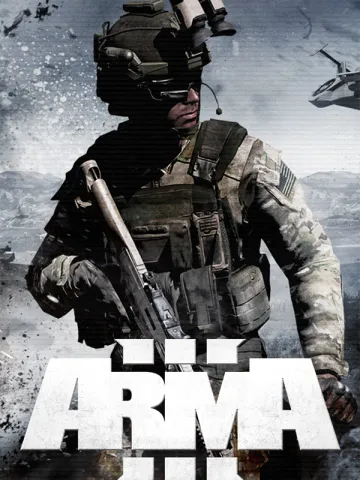

- Tactical shooter
- Workshop mods
- Custom missions
- Zeus game master
Arma 3Server Hosting
Give your unit a server that is up before the briefing starts. Load your Workshop mods and missions, hand Zeus to your mission maker, and run it day and night for a squad of 24 or an operation of 128 and more.
- Instant setup
- DDoS protection
- 24/7 support
- Full file access
- NVMe SSD storage
- 3 day money-back
Starting at R$87,22 BRL/month
Choose your plan
Server location
Nearest to you
- Common

- Most popular

- Best value

Secure and trusted payments
Server locations around the world
Pick the location closest to your players for the lowest latency. Test your ping from this browser to each of our data centers and see the hardware behind every one.
- Locations
- 16+
- Top CPU clock
- 5.7 GHz
- Support
- 24/7

North America
Virginia
Your ping
- Processor
- AMD EPYC 4465P
- Max clock
- 5.40 GHz
- Memory
- DDR5
- Network port
- 1-10 Gbps
Your ping
Your ping test starts in a moment.
North America
South America
Europe
Asia Pacific
Everything Your Arma 3 Server Needs
Arma 3 server hosting has to carry a long operation from briefing to extraction. Every plan comes with the hardware, the protected network and the support team to do it.
Network
Always-on DDoS Protection
An attack that lands halfway through an operation ends the night for everyone in it. We filter attack traffic before it reaches your server, on every plan, at all hours.
Hardware
NVMe SSDs
Arma 3 reads large terrains, mission files and often gigabytes of mods each time the server starts. NVMe drives read them quickly, which shortens the wait when you restart between missions.
Hardware
AMD Ryzen and EPYC Processors
A mission full of AI squads and scripts gives an Arma 3 server a lot to simulate. Our AMD processors run at clock speeds of up to 5.7 GHz.
Support
Support Around the Clock
A mod that fails its signature check, or a mission that refuses to load? Reach our team by ticket or live chat at any hour, and follow the step-by-step guides for the common jobs.
Panel
Automatic Tasks
Give your unit a freshly started server for each operation. Schedule restarts on an interval, such as one in the quiet hours before your weekly session. Create the task once and the panel repeats it.
Panel
Bring In Your Mission Makers
Give your mission makers and co-leaders access to the control panel, so one of them can restart the server or change a setting while you are away. You decide what each person can do.
Network
Automatic Failover
If a machine fails, your server starts again on a healthy one automatically. Your unit reconnects, and nobody has to open a ticket first.
Network
Low Latency Routes
A firefight at 400 metres leaves little room for lag. We control the routes that carry your players' traffic and tune them for performance. Choose the location nearest your unit for the lowest ping.
For your unit
Why rent an Arma 3 dedicated server?
Any player can host an Arma 3 mission from the game, and that session ends the moment the host quits. An Arma 3 dedicated server runs in a data center with no player attached, so the mission is waiting whenever your unit turns up.
No host to wait for
Switch on the persistent setting and a mission keeps running after the last player disconnects. A long campaign carries on from one session to the next, and latecomers join it in progress.
Room for the whole unit
Bohemia Interactive puts no cap on player numbers. Each plan is sized for a player count, from a squad of 24 to combined operations of 128 and more.
Your rules of engagement
Set a join password, choose the missions in rotation and decide who holds admin. Turn on signature checks and players can load only the mods you approve.
Mods and missions
Modded Arma 3 server hosting with Steam Workshop mods
Arma 3 is Bohemia Interactive's military sandbox: infantry, armour, helicopters and jets across more than 610 square kilometres of terrain. Its players have kept it busy for over a decade, and the Steam Workshop holds more than 160,000 of their mods, missions and terrains. Your server can run them.
How to set up an Arma 3 server
- Pick the plan that fits your unit's size.
- Choose the data center closest to most of your unit.
- Complete the order, and we create your Arma 3 server.
- Open the server's config file, usually
server.cfg, and sethostname,passwordandpasswordAdmin. - Start the server and let it load its first mission.
How to join your Arma 3 server
- Start Arma 3 and choose Multiplayer, then Server Browser.
- Open the Direct Connect tab.
- Enter your server's IP address and its game port. The default game port is 2302.
- Press Join, and enter the password if you set one.
On a modded server, load the same mods in the Arma 3 Launcher before you connect.
How to add a custom mission
A multiplayer mission is a single .pbo file.
- Stop your Arma 3 server.
- Upload the
.pbofile to the server'smpmissionsfolder. - Start the server and join it.
- Log in as admin, type
#missionsin chat and pick the mission from the list.
To load a mission without an admin online, add it to class Missions in the config file.
How to log in as admin
- Set
passwordAdminin the server's config file and restart the server. - Join the server and open the chat.
- Type
#loginfollowed by a space and the admin password.
A player whose SteamID64 is listed under admins[] in the config file types #login alone. An admin can then run #missions to change mission, #restart to restart it and #kick with a player's name to remove someone.
Keep passwordAdmin different from the join password.
Client mods and server mods
Mods that your players also need load with the -mod parameter. Mods that run on the server alone load with -serverMod, and players join without downloading them.
Signature checks
Each signed mod comes with a key file. Put the keys you trust in the server's keys folder and set verifySignatures to 2. The server then turns away anyone whose mod files do not match.
Zeus and official scenarios
Bohemia's own multiplayer scenarios include Warlords, Combat Patrol and Escape. In Zeus, a game master shapes the battlefield in real time while the rest of the unit plays.
What our customers say
We’re rated excellent or 4.3/5.0 based on over 435+ reviews at
- June 14th
Great host! “ I've been with this host for a little over 7 months now. Support is given almost instantly. Max I ever waited was 30(ish) minutes. ”
- Daniel Ramirez
- May 20th
Excellent and easy to use host “ Excellent service, really quick and easy to set up with lots of options and systems that really take the hassle out of hosting a server. ”
- Reece Cooper
- May 5th
I LOVE using RAMShard! “ I very much LOVE using RAMShard. It's efficient, easy to use, and the staff is extremely helpful! ”
- Cole Spencer
Looking for more customer reviews?
Read More »FAQ
Have your own question? Ask us.
Bohemia Interactive sets no cap on players, so your plan decides. Outpost suits up to 24 players, Firebase up to 64, and Airbase 128 and more. Missions with many AI units or a long mod list need more memory, and you can move up a plan at any time.
Each plan card at the top of this page shows its monthly price. That price includes the server, DDoS protection and support, and we charge no setup fee. Quarterly and annual billing bring the monthly cost down.
Upload each mod's folder to the server with your file access, then add the folder to the server's `-mod` launch parameter. Copy the mod's `.bikey` file into the server's `keys` folder so that players running the same mod pass the signature check. A mod that only the server needs goes under `-serverMod`.
Yes, for every mod loaded with `-mod`. Players subscribe to those mods on the Steam Workshop and enable them in the Arma 3 Launcher before they connect, and the versions have to match the server's. Server-side mods are the exception: nobody downloads them.
Yes. Load a Zeus mission and the player in the game master role edits the battlefield in real time: placing units, setting objectives and reacting to what the unit does.
A headless client is a copy of the game with no display. It connects to your server and takes over AI units, which frees the server for everything else. It helps only on missions written to use one, and it needs memory and processor time of its own. Ask our support team before you plan a mission around one.
Five UDP ports in a row, 2302 to 2306 by default. The first is the game port, the one players type when they connect directly, and the rest handle Steam queries, voice and BattlEye. You forward ports yourself only when you host from home.
No. Arma 3 is a PC game sold on Steam, and it has no console version.
You can. Bohemia Interactive's dedicated server software is a free download through SteamCMD. Your PC then has to stay on for the server to be online, you forward UDP ports 2302 to 2306 on your router, and you update the server and its mods by hand. A rented server runs in a data center day and night, and you manage it from your browser.
Yes. Send a ticket or open a live chat at any hour and our support team will help. The knowledge base also walks through the common jobs one step at a time.
Yes. Every server comes with a 3 day money back guarantee. Ask us within 3 days of your payment and we refund it in full.
Visa, Mastercard, American Express, PayPal, Apple Pay, Google Pay and Link.
Need a different game?
Choose from our list of games below.



