

- Survival
- Co-op and PvP
- Workshop mods
- Windows, Mac and Linux
Project ZomboidServer Hosting
Keep one Knox Country world online around the clock for a group of 6, 10 or more than 16 survivors. Friends on Windows, Mac and Linux log in whenever they like and find your sandbox settings and Workshop mods already in place.
- Instant setup
- DDoS protection
- 24/7 support
- Full file access
- NVMe SSD storage
- 3 day money-back
Starting at R$69,76 BRL/month
Choose your plan
Server location
Nearest to you
- Common
- Most popular
- Best value
Secure and trusted payments
Server locations around the world
Pick the location closest to your players for the lowest latency. Test your ping from this browser to each of our data centers and see the hardware behind every one.
- Locations
- 16+
- Top CPU clock
- 5.7 GHz
- Support
- 24/7

North America
Virginia
Your ping
- Processor
- AMD EPYC 4465P
- Max clock
- 5.40 GHz
- Memory
- DDR5
- Network port
- 1-10 Gbps
Your ping
Your ping test starts in a moment.
North America
South America
Europe
Asia Pacific
Everything Your Project Zomboid Server Needs
Project Zomboid server hosting for worlds that last months: fast hardware, a protected network and people on call. Every plan includes all of it.
Network
Always-on DDoS Protection
A server in the public browser shows its address to anyone who looks. We filter attack traffic before it reaches your world. Every plan includes the protection, and it stays switched on.
Hardware
NVMe SSDs
A Project Zomboid world keeps what survivors do to it: each barricaded window, each emptied cupboard, each parked car. NVMe drives write those changes quickly and read them back when the next survivor walks in.
Hardware
AMD Ryzen and EPYC Processors
Hordes, cars and a full group of survivors keep a Project Zomboid server busy. The AMD processors behind your server run at clock speeds of up to 5.7 GHz.
Support
Support Around the Clock
A mod list that refuses to load? A friend stuck on the connection screen? Ask our team by ticket or live chat at any hour. The knowledge base walks through the common jobs one step at a time.
Panel
Automatic Tasks
Schedule a restart for the hours your group sleeps and send a warning to chat first, so nobody is halfway through a fight when it happens. Set a task once and the panel repeats it.
Panel
Invite Your Group
Add a trusted friend to the control panel and they can restart the server or change a setting while you are away. You decide what each person is allowed to touch.
Network
Automatic Failover
When a machine fails, your server starts again on a healthy one by itself. Your survivors log back in to the same world, and you never open a ticket.
Network
Low Latency Routes
Melee is about timing, and lag turns a clean swing into a bite. Our network team controls the routes traffic takes to your server and tunes them for speed. Choose the location nearest your group for the lowest ping.
Dedicated servers
What a Project Zomboid dedicated server changes
The Host button in the game's main menu runs a world on your own PC, and that world closes when you quit. A Project Zomboid dedicated server runs it in a data center, where it stays online for whoever logs in next.
The world waits for nobody's PC
A friend in another time zone can log in at breakfast, weed the crops and refuel the generator while the usual host sleeps. The base and everything stored in it are there for the next survivor.
Your apocalypse, your rules
Sandbox settings decide how many zombies roam, how fast they move and whether loot comes back. Switch PvP on or off, let players claim safehouses and form factions, and set a password that keeps strangers out.
Bring the world you started
A world you began with the Host button lives in your Zomboid folder. Upload the save with its settings files and your group carries on from the same day.
Mods and maps
Run Workshop mods and custom maps on your Project Zomboid server
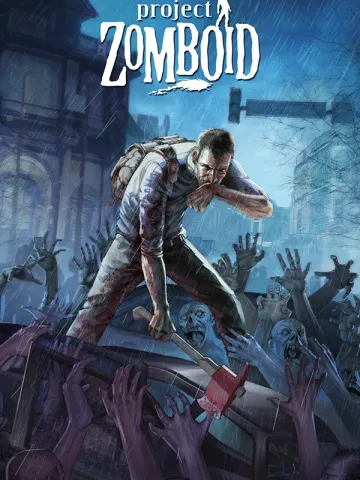
Project Zomboid drops you into Knox Country, Kentucky, and asks how long you can last. You loot houses, barricade windows, farm, fish and drive while the electricity falters and winter draws in. The Indie Stone built the game with open Lua modding, and players share what they make on the Steam Workshop.
Start a new Project Zomboid server in five steps
- Pick the plan that fits your group: Cabin for up to 6 players, Safehouse for up to 10, or Stronghold for 16 and more.
- Choose the location closest to where your group lives.
- Check out, and we build the server for you.
- Open the server's
.inisettings file. SetPublicName, setMaxPlayersto your plan's size and add aPasswordif the server is for friends only. - Start the server and send your group its address.
Connect to your server from the Join screen
- Launch Project Zomboid and click Join.
- Open the Favorites tab and enter the server's IP address and its port. The default port is 16261.
- Choose a username and password for your account on this server, and enter the server's own password if it has one.
- Click Save, select the server in the list and join.
Install Steam Workshop mods and map mods
- Note each mod's Workshop ID and mod ID from its Workshop page.
- Stop the server and open its
.inisettings file. - Add the Workshop IDs to
WorkshopItems=, for exampleWorkshopItems=514427485;513111049. - Add the mod IDs to
Mods=. - For a map mod, add the map's folder name to
Map=. - Start the server.
How to move a hosted world to your server
- Stop the server.
- On your PC, open the
Zomboidfolder in your user folder, for exampleC:\Users\YourUsername\Zomboid. - Copy the world's folder from
Saves\Multiplayer, and fromServerthe.iniand.luasettings files with the same name. - Upload them to the same folders on the server, renamed to the server's own name. The game's default server name is
servertest. - Start the server.
If your character loads into an empty void, disconnect, change the account name on the Join screen, save and connect again.
Two lines in one file
Your server reads its mod list from its settings file. WorkshopItems lists the Workshop IDs to download, separated by semicolons, and Mods lists the mod IDs to load.
Players get mods automatically
Workshop mods on the server download to each player's game when they connect. Nobody has to pass a list around the group chat.
Maps are mods too
A map mod takes one more step. Its folder name goes on the Map line of the same file, which starts out as Muldraugh, KY.
What our customers say
We’re rated excellent or 4.3/5.0 based on over 435+ reviews at
- June 14th
Great host! “ I've been with this host for a little over 7 months now. Support is given almost instantly. Max I ever waited was 30(ish) minutes. ”
- Daniel Ramirez
- May 20th
Excellent and easy to use host “ Excellent service, really quick and easy to set up with lots of options and systems that really take the hassle out of hosting a server. ”
- Reece Cooper
- May 5th
I LOVE using RAMShard! “ I very much LOVE using RAMShard. It's efficient, easy to use, and the staff is extremely helpful! ”
- Cole Spencer
Looking for more customer reviews?
Read More »FAQ
Have your own question? Ask us.
Cabin suits up to 6 players, Safehouse up to 10, and Stronghold starts at 16 with room to add more. Stronghold costs the least per player and has the most memory, which a long mod list or a map mod will use. The game sets the limit with its MaxPlayers setting, and admins do not count toward it. You can change plan later and keep your world.
The server creates an account named admin the first time it starts. Join with that account and type /setaccesslevel "username" "admin" in chat to promote your own character or a friend. The other levels are user, priority, observer, gm and moderator. Admins can also kick, ban and broadcast messages, and /help lists every command.
Yes. The Steam version runs on all three, and those players share the same servers. The GOG version is a separate case: it connects only to a server started in non-Steam mode.
You can, in two ways. The Host button in the main menu runs a world for as long as your game stays open. The Indie Stone also offers the Project Zomboid Dedicated Server tool on Steam for Windows and Linux: you forward UDP ports 16261 and 16262 on your router, set its memory by hand and leave the PC on. A rented server runs in a data center day and night, and you manage it from your browser.
Click Join in the main menu, open the Favorites tab and enter the server's IP address and port. Choose a username and password for your account on that server, click Save, then select the server and connect.
Yes. Add each mod's Workshop ID and mod ID to the server's settings file, which you can edit with full access to the server's files. Players do not install anything by hand: the game downloads the server's Workshop mods when they connect.
Set a password in the server's settings and share it with your group. For tighter control, switch the Open setting off: the server then admits only accounts an admin has created. The Public setting controls whether the in-game browser lists your server.
Yes. One setting disables player damage for a co-op server. If you leave PvP on, the safety system lets each player opt in or out, and separate settings cover safehouse claims, factions and whether outsiders can loot a claimed base.
By default, no. The server stays online, and the game stops its clock while the world is empty, so crops and food do not age overnight. Set PauseEmpty to false in the server's settings if you want the days to keep passing.
Yes. Our support team answers by ticket and live chat at any hour, and the knowledge base has step-by-step guides for the usual first jobs.
Our 3 day money back guarantee covers you. Contact us within 3 days of payment and we refund you in full.
Visa, Mastercard, American Express, PayPal, Apple Pay, Google Pay and Link.
Need a different game?
Choose from our list of games below.



