

- FPS and RTS
- Three factions
- Co-op and PvP
- PC on Steam
SilicaServer Hosting
Give your community a permanent front line on Baltarus. A RAMShard Silica server stays online around the clock for 16, 32 or 64 players, with your map, your game mode settings and your own admins.
- Instant setup
- DDoS protection
- 24/7 support
- Full file access
- NVMe SSD storage
- 3 day money-back
Starting at R$69,76 BRL/month

Pick your Silica server plan
Server location
Nearest to you
- Common


- Most popular


- Best value


Secure and trusted payments
Server locations around the world
Pick the location closest to your players for the lowest latency. Test your ping from this browser to each of our data centers and see the hardware behind every one.
- Locations
- 16+
- Top CPU clock
- 5.7 GHz
- Support
- 24/7

North America
Virginia
Your ping
- Processor
- AMD EPYC 4465P
- Max clock
- 5.40 GHz
- Memory
- DDR5
- Network port
- 1-10 Gbps
Your ping
Your ping test starts in a moment.
North America
South America
Europe
Asia Pacific
Everything Your Silica Server Needs
Silica server hosting built for commanders and the squads who carry out their orders: fast hardware, a protected network and a team on call. Every plan includes all of it.
Network
Always-on DDoS Protection
A full server on match night makes a tempting target. We filter attack traffic before it reaches your server, on every plan, at all hours.
Hardware
NVMe SSDs
Each round starts with a map load, and the server keeps a dated log of every session. NVMe drives handle both quickly, so the next match starts without a long wait.
Hardware
AMD Ryzen and EPYC Processors
A Strategy match can put hundreds of units on the map at once, and the server simulates every one of them. The AMD processors that run those matches reach clock speeds of up to 5.7 GHz.
Support
Support Around the Clock
Stuck on ServerSettings.xml, or a server that will not show in the list? Our team replies by ticket and live chat at any hour, and our guides walk through the common jobs step by step.
Panel
Automatic Tasks
Set a restart for the quiet hours and an announcement ahead of it, on whatever interval suits your community. The panel repeats them without you.
Panel
Add Your Co-Admins
Give the people who help run your community access to the control panel, so someone can restart the server or change a setting while you are offline. You decide what each of them can do.
Network
Automatic Failover
When a machine fails, your server starts again on a healthy one automatically. You open no ticket, and your players get back to the next round sooner.
Network
Low Latency Routes
A commander's orders and a rifleman's shots travel the same connection. We control the routes that traffic takes and tune them for performance, so choose the location nearest your players for the lowest ping.
Dedicated servers
Why rent a Silica dedicated server?
Silica lets any player host a match from their own PC, and that match depends on the PC staying on. A Silica dedicated server runs in a data center instead. It hosts itself on Steam as soon as it starts and waits in the server list for whoever wants the next round.
Open between matches
Nobody's gaming PC has to stay on. When the last player leaves, the server ends the round after five minutes and starts a fresh one for the next group.
Seats for commanders and soldiers
Plans seat 16, 32 or 64 players. Each faction has one commander seat, and every other seat belongs to a soldier, a driver, a pilot or an alien creature. The AI fills a commander seat nobody takes.
One file sets the rules
ServerSettings.xml holds the current map, the settings for each game mode, the player limit, the bans and the admins. Edit the file, or run admin commands from the console in game.
The game
Fight the war for Baltarus on your own Silica server
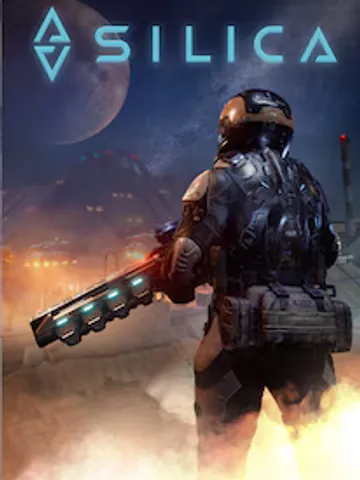
Silica is a first-person shooter and a real-time strategy game inside one match. Human armies harvest Balterium on the desert planet Baltarus, and they fight each other and the planet's aliens to keep it. On your own server, your community decides who takes which side.
How to set up a Silica server
- Pick the plan that fits your player count: 16, 32 or 64.
- Choose a server location close to the people who will play.
- Pay for your order, and we create the server.
- Open
ServerSettings.xmlin your server's files and set the map, the maximum players and the settings for your game mode. - Start the server, which hosts itself on Steam and appears in the game's server list.
How to join your Silica server
- Open Silica and go to the multiplayer server list.
- Find your server by its name. The list marks dedicated servers.
- Select it and join.
You can also open the console with the ~ key and use the join command with the server's ID.
How to add admins to a Silica server
A Standard Admin can kick, ban, end the round and change the map. A Root Admin can also add and remove Standard Admins.
- Make yourself a Root Admin in
ServerSettings.xml. Only the server can grant that level. - Join the server and open the console with the
~key. - Type
playerinfoto list each player's name and Steam ID. - Type
addadminand a name or Steam ID to make that player a Standard Admin.
Names are case sensitive in these commands.
How to change the map, end a round or ban a player
Admins type these in the game's console:
map GreatErg MP_Strategyloads a map with a game mode.endroundends the current round.kickand a name or Steam ID removes a player.ban, a name or Steam ID, a number of days and a one-word reason bans a player. Zero days is permanent.unbanlifts a ban.
Three factions
Sol and Centauri are the two human armies, each with its own structures and vehicles. The Aliens are the third side, and they fight with creatures where the humans use machines. One Strategy match can hold all three.
Command or fight
As commander you place structures, send Harvesters to the Balterium fields and direct your units across the map. On the ground you carry a rifle or drive anything from a Light Quad to a Siege Tank. You can swap roles during a match.
Voice chat built in
Hold V to talk to your team. Proximity chat carries voices between players standing near each other, and an icon marks an enemy you can hear.
What our customers say
We’re rated excellent or 4.3/5.0 based on over 435+ reviews at
- June 14th
Great host! “ I've been with this host for a little over 7 months now. Support is given almost instantly. Max I ever waited was 30(ish) minutes. ”
- Daniel Ramirez
- May 20th
Excellent and easy to use host “ Excellent service, really quick and easy to set up with lots of options and systems that really take the hassle out of hosting a server. ”
- Reece Cooper
- May 5th
I LOVE using RAMShard! “ I very much LOVE using RAMShard. It's efficient, easy to use, and the staff is extremely helpful! ”
- Cole Spencer
Looking for more customer reviews?
Read More »FAQ
Have your own question? Ask us.
Your plan sets the number. Light Quad seats up to 16 players, Hover Tank up to 32 and Siege Tank up to 64. Set the same figure as the maximum players in ServerSettings.xml, and move to a larger plan when your community outgrows it.
Each plan's monthly price is on its card at the top of this page. That price covers the server, DDoS protection and support, and we charge no setup fee. Quarterly and annual billing lower the monthly figure.
Yes. Bohemia Interactive distributes the Silica Dedicated Server tool through Steam, and it runs on Windows and Linux. Your machine has to stay on and connected for the server to stay listed, and you look after the ports and the updates yourself. A rented server runs in a data center at all hours, and you manage it from a control panel in your browser.
Open the multiplayer server list in Silica, find your server by name and join it. Dedicated servers carry their own mark in the list. The console's join command also connects you with the server's ID.
Root Admin is the top level, and only the server can grant it, so you add yourself in ServerSettings.xml. After that, open the console in game with the ~ key and use addadmin to give Standard Admin rights to the players you trust. Standard Admins can kick, ban, end the round and change the map.
An admin opens the console and types map, the map's name and the game mode, for example map GreatErg MP_Strategy. ServerSettings.xml stores the current map and the settings for each game mode.
Silica is a PC game sold on Steam, and it has no console version. Everyone on your server joins from a PC, so crossplay does not come up.
Silica uses Steam Workshop to share scenarios that players build with its Sandbox tools. You have full access to your server's files. If your plans depend on one scenario or mod, ask our support team before you order and we will tell you whether a hosted server can run it.
Count the players you expect on a busy night. Light Quad suits a group of friends, Hover Tank suits a clan with two full teams, and Siege Tank suits a public community with all three factions in play. Siege Tank has the most memory and the lowest cost per player. You can change plan at any time.
Yes, and you do not need to know the jargon to ask. Our support team answers by ticket and live chat at any hour, and the knowledge base has step-by-step guides.
Yes. We have a 3 day money back guarantee. Contact us within 3 days of payment for a full refund.
Visa, Mastercard, American Express, PayPal, Apple Pay, Google Pay and Link.
Need a different game?
Choose from our list of games below.



