

- Survival
- Free to play on Steam
- Steam Workshop mods
- PvE or PvP
UnturnedServer Hosting
Give your group a zombie apocalypse that stays online after you log off. You pick the map, PvE or PvP and the Workshop mods, and your server holds 6 survivors, 16, or more than 32.
- Instant setup
- DDoS protection
- 24/7 support
- Full file access
- NVMe SSD storage
- 3 day money-back
Starting at R$29,03 BRL/month

Choose your plan
Server location
Nearest to you
- Common

- Most popular

- Best value


Secure and trusted payments
Server locations around the world
Pick the location closest to your players for the lowest latency. Test your ping from this browser to each of our data centers and see the hardware behind every one.
- Locations
- 16+
- Top CPU clock
- 5.7 GHz
- Support
- 24/7

North America
Virginia
Your ping
- Processor
- AMD EPYC 4465P
- Max clock
- 5.40 GHz
- Memory
- DDR5
- Network port
- 1-10 Gbps
Your ping
Your ping test starts in a moment.
North America
South America
Europe
Asia Pacific
Everything Your Unturned Server Needs
What Unturned server hosting takes on the night the horde arrives and the whole group is online: fast hardware, a protected network and a team on call. Every plan includes all three.
Network
Always-on DDoS Protection
A public PvP server collects grudges, and the middle of a raid is a bad moment to drop offline. We filter attack traffic before it reaches your server, on every plan, at every hour.
Hardware
NVMe SSDs
An Unturned server writes every structure, vehicle and storage crate to disk when it saves. NVMe drives finish that write fast, and a large Workshop map loads without a long wait.
Hardware
AMD Ryzen and EPYC Processors
Your server tracks every zombie, vehicle and player on the map. The AMD processors behind it run at clock speeds of up to 5.7 GHz.
Support
Support Around the Clock
A Workshop map that will not download, or a plugin that refuses to load? Our team replies by ticket and live chat at any hour, and our guides walk you through the common jobs.
Panel
Automatic Tasks
Schedule a restart for the quiet hours and announce it to the server before it happens. Set a task once and the panel repeats it on the interval you chose.
Panel
Share the Keys With Your Group
Let a trusted friend or a moderator into the control panel to restart the server or change a setting while you sleep. You decide what each person can do.
Network
Automatic Failover
When a machine fails, your server starts again on a healthy one without a ticket from you. Your survivors log back in and carry on.
Network
Low Latency Routes
A shot at a sprinting zombie needs low ping, and so does a firefight over an airdrop. The routes your survivors' traffic takes are ours to control, and we tune each one for performance. Choose the location nearest your group.
Rent or self-host
Why rent an Unturned dedicated server?
Unturned's dedicated server tool is free, and it starts as a LAN server that only people on your own network can see. Going public takes a Steam login token, port forwarding or Steam's Fake IP, and a PC that stays switched on. Rent an Unturned dedicated server and the machine, the network and the uptime become our job.
Online when you are not
Friends log in on their own schedule. The map stays up at 3 am for the player in another time zone, and nobody waits for a host to launch the game.
Pick the map
Start on PEI, Washington, Yukon, Russia or Germany, the five official maps, or load a community map from the Steam Workshop. One line in `Commands.dat` picks it.
PvE, PvP and perspective
Turn on PvE to stop players hurting each other, or leave PvP on for raids. Choose first person, third person or both, pick Easy, Normal or Hard, and set a password to keep the server to your group.
Mods and plugins
Modded Unturned server hosting with Workshop mods and plugins
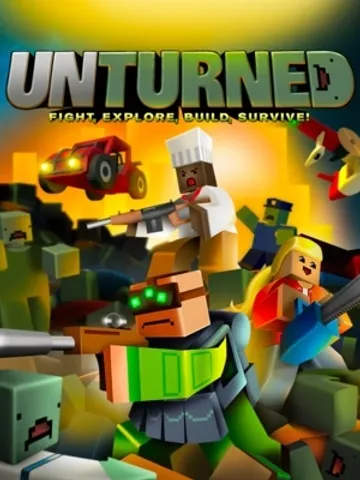
Unturned is a free-to-play zombie survival sandbox. You scavenge towns for supplies, craft gear, build a base and hold it against the dead and against other players. The Steam Workshop and two plugin frameworks let your server change almost any part of that.
How to set up an Unturned server
- Pick the plan that fits your group.
- Select the data center closest to your survivors.
- Pay, and we build the server while you load the game.
- Open
Commands.datin the server's files and set theName,MapandMaxPlayerslines. - Add an
Ownerline with your SteamID64, then restart the server.
How do I connect to my Unturned server?
- Open Unturned and go to the Connect menu.
- Type your server's IP address in the Host field and its port in the Port field.
- Enter the password if you set one, then connect.
A server with a Game Server Login Token also appears by name in the Internet server list.
How to add Workshop mods and maps
- Find the item on the Steam Workshop and copy the number at the end of its address. That number is its file ID.
- Shut the server down.
- Open
WorkshopDownloadConfig.jsonand add the number to theFile_IDslist, with a comma between entries. - For a map, set the
Mapline inCommands.datto the map's name. - Boot the server again, and it downloads each item before it loads the map.
How to add admins to an Unturned server
The Owner line in Commands.dat makes one player an administrator: give it that player's SteamID64. To add more, run the Admin command from the server console, or list them in Adminlist.dat.
Admins type commands in the game's chat with @ or / in front. Cheat commands such as Give work only after you add Cheats to Commands.dat.
Workshop maps and mods
List Workshop file IDs in `WorkshopDownloadConfig.json`. Your server installs and updates each item and its dependencies when it starts, and players download them as they connect.
OpenMod or RocketMod
Plugins add commands, permission groups and new server rules. OpenMod is the newer framework. Smartly Dressed Games maintains a fork of RocketMod and ships it with the server files. Both install into the server's `Modules` folder.
Nothing extra for players
Steam delivers Workshop content when a player connects, and plugins run on the server alone. Your group joins with the normal game.
What our customers say
We’re rated excellent or 4.3/5.0 based on over 435+ reviews at
- June 14th
Great host! “ I've been with this host for a little over 7 months now. Support is given almost instantly. Max I ever waited was 30(ish) minutes. ”
- Daniel Ramirez
- May 20th
Excellent and easy to use host “ Excellent service, really quick and easy to set up with lots of options and systems that really take the hassle out of hosting a server. ”
- Reece Cooper
- May 5th
I LOVE using RAMShard! “ I very much LOVE using RAMShard. It's efficient, easy to use, and the staff is extremely helpful! ”
- Cole Spencer
Looking for more customer reviews?
Read More »FAQ
Have your own question? Ask us.
Your plan sets the size. Campsite suits up to 6 players, Safehouse up to 16, and Stronghold 32 and more. Set the cap with the `MaxPlayers` line in `Commands.dat`. You can move to a larger plan later and keep your map.
Yes. Add each item's Workshop file ID to `WorkshopDownloadConfig.json` and restart. The server installs the item with its dependencies and keeps it up to date at each start. To play a Workshop map, also put its name on the `Map` line.
Yes. You have full access to the server's files, so you can install either framework in the `Modules` folder and add plugins. OpenMod is the newer of the two. The RocketMod fork that Unturned's developer maintains comes in the server's `Extras` folder.
They do nothing by hand. Unturned downloads the server's Workshop items through Steam when a player connects. Plugins run on the server, so players need no files for those.
Add a `Password` line to `Commands.dat` and restart. Players then type that password before they can connect. Share it with your group only.
Unturned hides a server from the Internet list until it logs in with a Game Server Login Token. Create a token on Steam's game server account page for app ID 304930, add it to the server's configuration and restart.
Yes. Add `PvE` to `Commands.dat` and players can no longer hurt each other, which leaves the zombies as the threat. Remove the line to bring PvP back.
Unturned is on Steam for Windows, macOS and Linux, and your server runs the dedicated server for that Steam version. Players on all three connect to it the same way.
You can. The Unturned Dedicated Server tool is free on Steam and runs on Windows and Linux. It starts as a LAN server, so a public one needs a login token plus either two forwarded UDP ports, 27015 and 27016 by default, or Steam's Fake IP, whose address changes at every restart. Your PC also has to stay on. A rented server runs in a data center all day and keeps one address.
Yes. Support answers by ticket and live chat at any hour, and the knowledge base has step-by-step guides for the usual tasks.
A 3 day money back guarantee covers every plan. Ask within 3 days of your payment and we refund you in full.
Visa, Mastercard, American Express, PayPal, Apple Pay, Google Pay and Link.
Need a different game?
Choose from our list of games below.



