
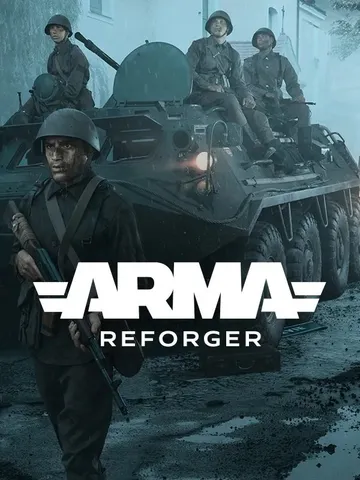

- Military shooter
- Crossplay
- Workshop mods
- Conflict and Game Master
ARMA ReforgerServer Hosting
Give your unit an ARMA Reforger server of its own. You choose the scenario and the mods, set the rules for up to 48 players, and keep it online around the clock for friends on PC, Xbox and PlayStation 5.
- Instant setup
- DDoS protection
- 24/7 support
- Full file access
- NVMe SSD storage
- 3 day money-back
Starting at $17.99 USD/month
Pick your ARMA Reforger plan
Server location
Nearest to you
- Common

- Most popular
- Best value
Secure and trusted payments
Server locations around the world
Pick the location closest to your players for the lowest latency. Test your ping from this browser to each of our data centers and see the hardware behind every one.
- Locations
- 16+
- Top CPU clock
- 5.7 GHz
- Support
- 24/7

North America
Virginia
Your ping
- Processor
- AMD EPYC 4465P
- Max clock
- 5.40 GHz
- Memory
- DDR5
- Network port
- 1-10 Gbps
Your ping
Your ping test starts in a moment.
North America
South America
Europe
Asia Pacific
Everything Your ARMA Reforger Server Needs
ARMA Reforger server hosting has to carry long matches, a full roster and a list of mods. Every plan comes with the hardware, the protected network and the support team for that job.
Network
Always-on DDoS Protection
A Conflict match can run for days, and an attack halfway through ends it for both sides. We filter attack traffic out before it reaches your server, on every plan, at every hour.
Hardware
NVMe SSDs
A modded server loads its mods from disk when it starts. NVMe drives shorten that reading, so your unit spends less time waiting to deploy.
Hardware
AMD Ryzen and EPYC Processors
Your server works out every bullet, vehicle and AI patrol on the island at once. Our AMD processors reach clock speeds of up to 5.7 GHz.
Support
Support Around the Clock
Is a mod refusing to download, or a scenario refusing to load? Write to our team by ticket or live chat at any hour. Step-by-step guides walk you through the routine jobs.
Panel
Automatic Tasks
Schedule a restart for the quiet hours between operations, so the server is fresh before your unit forms up. You create the task one time and the panel repeats it.
Panel
Bring In Your Officers
Your second in command and your game masters can have their own access to the control panel. They restart the server or change a setting while you are off duty, and you decide what each of them may do.
Network
Automatic Failover
When a machine fails, we start your server again on a healthy one without waiting for you to ask. Your players reconnect and the operation goes on.
Network
Low Latency Routes
In a firefight across a valley, lag decides whose shot lands first. We control the routes your players' traffic takes and tune them for performance, so choose the location nearest your unit.
Your own server
What an ARMA Reforger dedicated server gives your unit
A PC player can host an ARMA Reforger session from inside the game, and it closes when that player logs off. An ARMA Reforger dedicated server keeps running with nobody in it, so your scenario, your mods and your rules are waiting each time the unit forms up.
Online without a host
Nobody has to leave a gaming PC switched on. The server is up at any hour, and squad mates in other time zones can drop into a Conflict match that is still going.
One server, three platforms
Turn crossplay on and players on PC, Xbox and PlayStation 5 share the same server. Hosting from inside the game is a PC feature, so a console group needs a dedicated server to have a home of its own.
Your scenario, your rules
Run Conflict, Combat Ops, Capture & Hold or Game Master. Set a join password, cap the player count and name your admins. You decide who gets kicked and who gets banned.
Mods and scenarios
Modded ARMA Reforger server hosting with Workshop mods
ARMA Reforger is a military shooter set on Cold War islands, where two sides fight over towns, bases and supplies on foot, in trucks and in helicopters. Its in-game Workshop holds thousands of community mods, and the server decides which of them everybody plays with.
How to set up an ARMA Reforger server
- Choose Fireteam, Squad or Platoon by the number of players you expect.
- Select the data center closest to most of your unit.
- Pay, and we build the server for you.
- Open the control panel and set the server's name, its scenario and its player limit.
- Add a join password if the server is private, then start it.
How do players join an ARMA Reforger server?
- Start ARMA Reforger and open Multiplayer.
- Search the server browser for your server's name.
- Select the server and join. Enter the password if you set one.
- Wait while the game downloads the mods the server lists.
Console players see your server only when crossplay is switched on in its config.
How to add mods to your ARMA Reforger server
- Find the mod in the Workshop and copy its ID.
- Shut the server down.
- Open the server's config file, which is JSON, and add the mod to the
modslist in thegamesection. - Bring the server back up.
Players get the mod the next time they join. Remove a mod from the list in the same way.
How to add admins to your ARMA Reforger server
Set passwordAdmin in the server's config. The admin password cannot contain spaces. In the game, an admin types #login followed by that password.
To skip the password, list a player's identity ID or Steam ID under admins in the same file. That player then logs in with #login alone.
A logged-in admin can remove a player with #kick, ban one with #ban create, and reload the running scenario with #restart.
Mods download on join
List the mods your server needs in its config. The game downloads them and switches them on for each player who connects, so nobody trades files or follows an install guide.
Weapons, vehicles and terrains
The Workshop carries custom game modes, weapons, vehicles, factions and whole terrains. Bohemia's Workbench tools let you build a scenario of your own and publish it.
Consoles play modded too
Xbox and PlayStation 5 players download mods from the same Workshop. A console sets aside limited space for them, so keep the mod list on a crossplay server lean.
What our customers say
We’re rated excellent or 4.3/5.0 based on over 435+ reviews at
- June 14th
Great host! “ I've been with this host for a little over 7 months now. Support is given almost instantly. Max I ever waited was 30(ish) minutes. ”
- Daniel Ramirez
- May 20th
Excellent and easy to use host “ Excellent service, really quick and easy to set up with lots of options and systems that really take the hassle out of hosting a server. ”
- Reece Cooper
- May 5th
I LOVE using RAMShard! “ I very much LOVE using RAMShard. It's efficient, easy to use, and the staff is extremely helpful! ”
- Cole Spencer
Looking for more customer reviews?
Read More »FAQ
Have your own question? Ask us.
Each plan is sized for a player count: Fireteam for up to 12, Squad for up to 36 and Platoon for up to 48. The game's own player limit setting accepts any number from 1 to 128. Platoon is the plan you can customize when you order, and you can move between plans later.
The plan cards above show the monthly price of Fireteam, Squad and Platoon. You pay no setup fee, and DDoS protection and support come with all three. Quarterly and annual billing bring the monthly price down.
Yes. Crossplay is one setting in the server's config, `crossPlatform`. With it on, players on PC, Xbox and PlayStation 5 can all join the same server. With it off, the server stays on the platforms you list.
Yes. Add mods from the Workshop to the mods list in the server's config, which you can edit with full access to the server's files. Players do not install anything by hand: the game downloads and activates the listed mods when they join.
Yes, when crossplay is on. Both consoles have the in-game Workshop and download a server's mods as PC players do. Consoles keep a limited amount of storage for mods, so a very long mod list can shut console players out.
Any scenario the game ships with, including Conflict, Combat Ops, Capture & Hold and Game Master, and scenarios from Workshop mods. The server runs one scenario at a time, and you change it in the config.
Set a join password in the server's config and share it with your unit. Players type it when they join from the server browser. Remove the password to open the server to everyone again.
Type `#login` and the admin password you set as `passwordAdmin` in the config. Players whose identity ID or Steam ID you list under `admins` can type `#login` with no password. Logged-in admins can kick, ban and restart the scenario.
You can. On PC you can host a session from the game's menu, or download Bohemia's dedicated server tool through Steam. Your PC has to stay on for the server to be online, and you open UDP port 2001 on your router and update the server after each patch. A rented server runs in a data center day and night, and you manage it from a control panel in your browser.
Yes. Our support team answers by ticket and live chat at any hour. The knowledge base also has step-by-step guides for the common jobs.
We have a 3 day money back guarantee. Contact us within 3 days of payment and we refund you in full.
Visa, Mastercard, American Express, PayPal, Apple Pay, Google Pay and Link.
Need a different game?
Choose from our list of games below.



